In this step you create a save file to package VLF-ONE server objects on
the IBM i: Framework filters, command handlers, the Framework definition
file, and other files specific to your application. They are located in
two folders on the IFS.
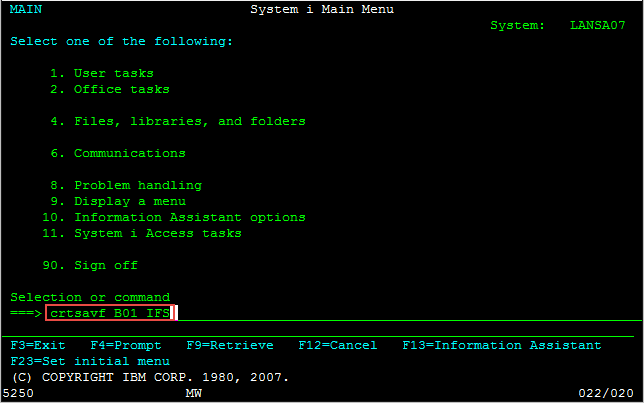
1. On the IBM i, use the CRTSAVF command to create an IBM i save file.
Call it B01_IFS.
CRTSAVF B01_IFS
In this save file, you will need to include the contents of the IFS
folder /LANSA_<yourprogramlibrary>/x_lansa/x_<partition
identifier>/web/vl and the Framework definition DAT file.
The Framework definition file will have the form
XXXXXXXXX_LLLL_VLFONE_Definition.DAT where XXXXXXXXX is the framework
name and LLLL is the language.
You may want to specify a library rather than accept the default QGPL.
2. Package the objects in the save file using the SAV command:
SAV DEV('<path to save file>')
OBJ(('/LANSA_<pgmlib>/x_lansa/x_<ppp>/web/vl/*')
('/LANSA_<pgmlib>/x_lansa/x_<ppp>/execute/<
XXXXXXXXX_LLLL_VLFONE_Definition.DAT >'))
(If you wish to enter this command freehand from the command line, use
CALL QCMD.)
For example:
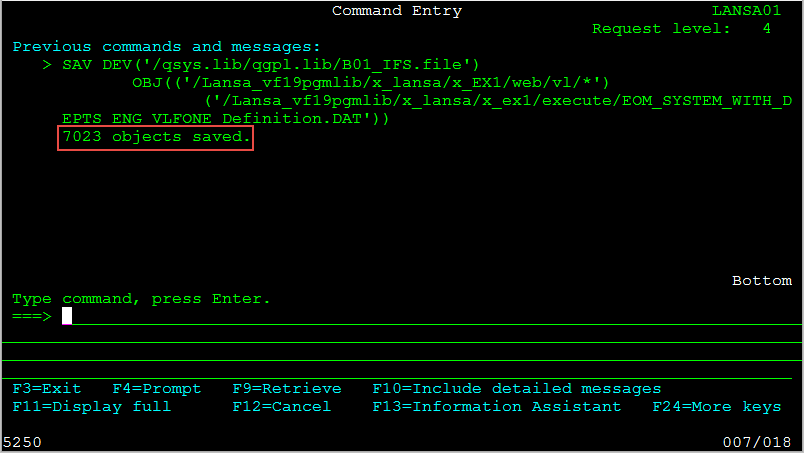
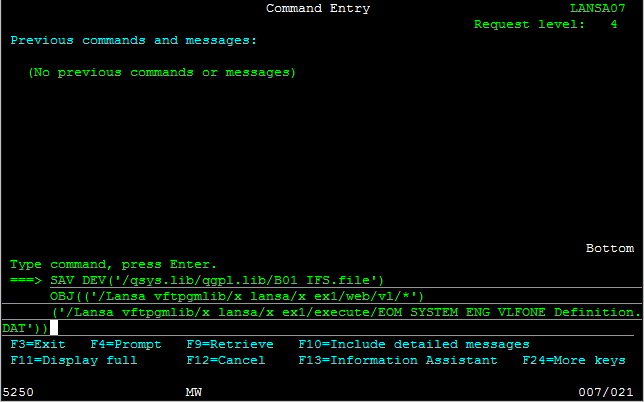
SAV DEV('/qsys.lib/qgpl.lib/B01_IFS.file')
OBJ(('/Lansa_vftpgmlib/x_lansa/x_EX1/web/vl/*')
('/Lansa_vftpgmlib/x_lansa/x_ex1/execute/EOM_SYSTEM_ENG_VLFONE_Definition.DAT'))
3. Then verify the objects have been saved.