The Transaction Monitor page allows you to specify the settings relating to the starting and stopping of the LANSA Web jobs by the Transaction Monitor.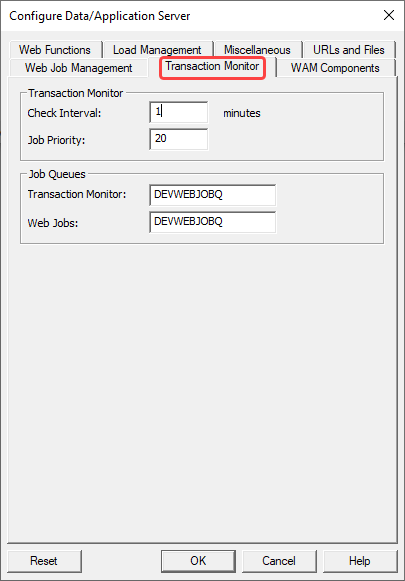
Transaction Monitor
Check Interval (minutes)
The Transaction Monitor monitors all the LANSA jobs started by LANSA Web. It is responsible for terminating any jobs that have not been active after a defined period. There is only one instance of the Transaction Monitor for a given host.
Most of the time, the Transaction Monitor is dormant. It will be activated at predefined periods to perform its tasks. Use this option to define this time period. For example, if you define this time as 5 minutes, the Transaction Monitor will be activated every 5 minutes to perform its tasks.
The default value is 1 minute.
Job Priority (IBM i only)
Configure the job priority of the Transaction Monitor and reset the Transaction Monitor for this value to be in effect.
The default value is 20.
Job Queues
Transaction Monitor (IBM i only)
Enter the job queue for jobs to be submitted to run the Transaction Monitor.
The Transaction Monitor is identified as LWEB_MON.
This setting is disabled if you are connected to a host type Windows / Linux.
The setting will not be reset to default.
Web Jobs (IBM i only)
Enter the job queue to submit the LANSA Web jobs.
The LANSA Web jobs are named as LWEB_JOB.
This setting is disabled if you are connected to a host type Windows / Linux.
The setting will not be reset to default.