1. Using the context menu, Copy field xDepartmentCode, to create a field named iiiDepartment. Do not copy Field Visualizations. Open the new field in the editor.
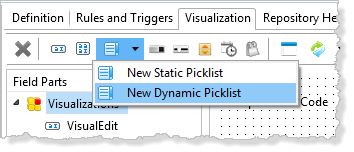
2. Select the Visualizations tab, and add a Dynamic Picklist Visualization:
3. In the Repository Find dialog, select your dynamic picklist component, iiiDepartmentPicklist, and click OK. This will create a dynamic picklist, named VisualPicklist.
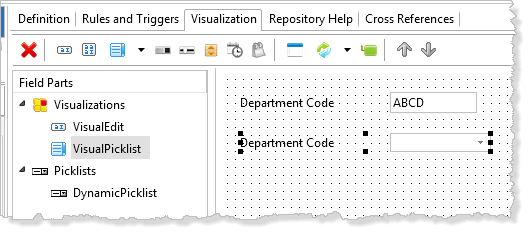
4. Select the VisualPicklist component. On the Details tab:
a. Make VisualPicklist the DefaultVisual.
b. Change Height to 20.
c. Change Width to 310.
5. Save the field definition.