In this step, you will create a Web Application Module that will eventually contain the RDMLX code for your First WAM.
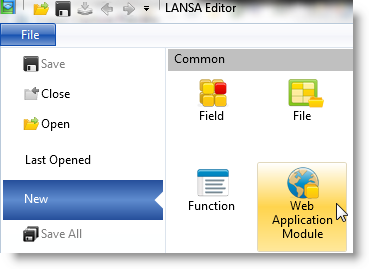
- In the LANSA Editor window, select File, then New and Web Application Module:
The New WAM dialog will appear: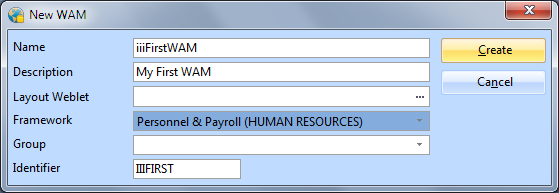
- In the New WAM dialog box:
- Enter a Name of iiiFirstWAM (where iii are your initials).
- Enter a Description of My First WAM.
- Leave the Layout Weblet field blank.
- Select a Framework Personnel & Payroll.
Note:
- When you leave the Layout Weblet field blank, your WAM will automatically generate a wam layout based on Theme Layout #1 – One Column (std_themelet1_1col.xsl). You will create and use your own layout using a wizard in a later exercise.
- Frameworks allow related components to be grouped together. The framework assigned to a component may be changed at any time. The Personnel & Payroll Framework has been selected for this new WAM. The new WAM will be given a ComponentFramework property HUMAN RESOURCES-Personnel.Click the Create button to create the new WAM.
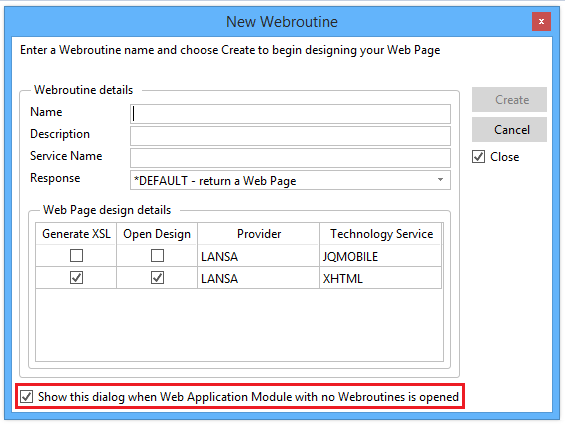
- The New WebRoutine dialog will appear. Deselect the Show this dialog . . . option and select Cancel. You will create your WebRoutines manually in the editor. You will use this dialog in a later exercise.
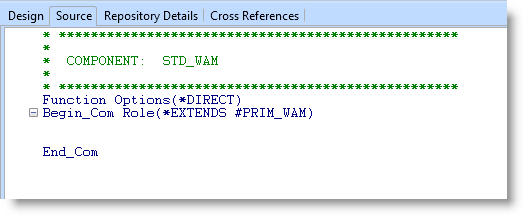
- The LANSA Editor will now display the WAM's RDMLX code. At this stage, it will not contain any WebRoutines: