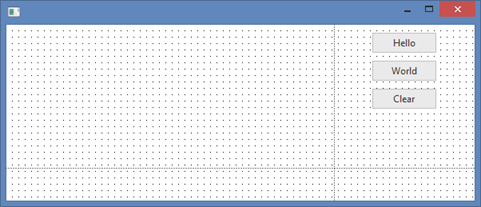
In this step, you will add a Clear push button to the form.
1. Select the Controls tab and drag a push button into Row 1, Column 2.
a. Using the Layout ribbon, change Alignment to Top Center and Flow to Down.
b. Change margin Top to 10.
c. Using the Details tab, change the Caption property to Clear and Name to CLEAR.
Your form should appear something like this: