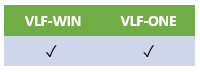
This feature is often technically superseded by the use of a custom Framework manager, except in RAMP applications. See Using a VLF-ONE Custom Framework Manager. Both VLF-WIN and VLF-ONE support singleton VL scope(*Application) reusable parts that can act as a custom Framework manager. You can listen to a custom Framework manager for specific events and request that it signals events on your behalf. |
The Framework manager provides a basic event signaling service.

When something significant happens in your filter or command handler, you may choose to signal an event to other active filters or command handlers so that they can take appropriate action.
To do event-processing work, you need two things:
- A filter or command handler needs to signal the event. This is called publishing the event.
- Other filters or command handlers need to listen to the event. This is called subscribing to the event.
Additional information may be sent along with the event. This is called the payload.
To publish an event, use the method avSignalEvent. For example:
Invoke #Com_owner.avSignalEvent WithId(Employee_Deleted) SendAInfo1(#EMPNO)
This example signals an event identified as "Employee_Deleted". It includes the current value of field #EMPNO as additional payload string 1, presumably to identify the employee that has been deleted.
To subscribe to (or listen for) an event in a Windows application, you need to have an EvtRoutine in your filter or command handler. To do this you listen for an avEvent signal like this example:
EvtRoutine Handling(#Com_owner.avEvent) WithId(#EventId) WithAInfo1(#AInfo1)
If (#EventId = Employee_Deleted)
Change #EMPNO #AInfo1.Value
<< Handle the event >>
Endif
Endroutine
General Considerations
In VLF-ONE, you can also use a custom Framework manager to do this in a non-generic way. See Using a VLF-ONE Custom Framework Manager.
- Having events flying around in your application impacts its performance. You need to assess this impact in an environment that reflects your worst-case deployment environment. Make sure that you do not use too many events or do too much processing when handling an event. Your event model needs to fit into the resource that you have available to execute it.
- The basic payload that can be sent along with an event allows for up to 5 alphanumeric strings and 5 numeric values. If this is not enough or if you want to send lists of information, use the virtual clipboard or, in VLF-ONE, the SenderReference parameter.
- You should think about a simple and consistent naming standard for your events. Do not use event identifiers that contain periods (".") to avoid conflicts with events issued by the Framework. Avoid special characters that may cause code page issues with different execution platforms.
- Look at the shipped Programming Techniques (VLF-WIN) and Example Application (VLF-ONE) for examples of how to code and use events in Web browser applications.
For more detailed information about event handling, see: