Execute the Framework and choose your business object to see the default instance list style (Simple Grid):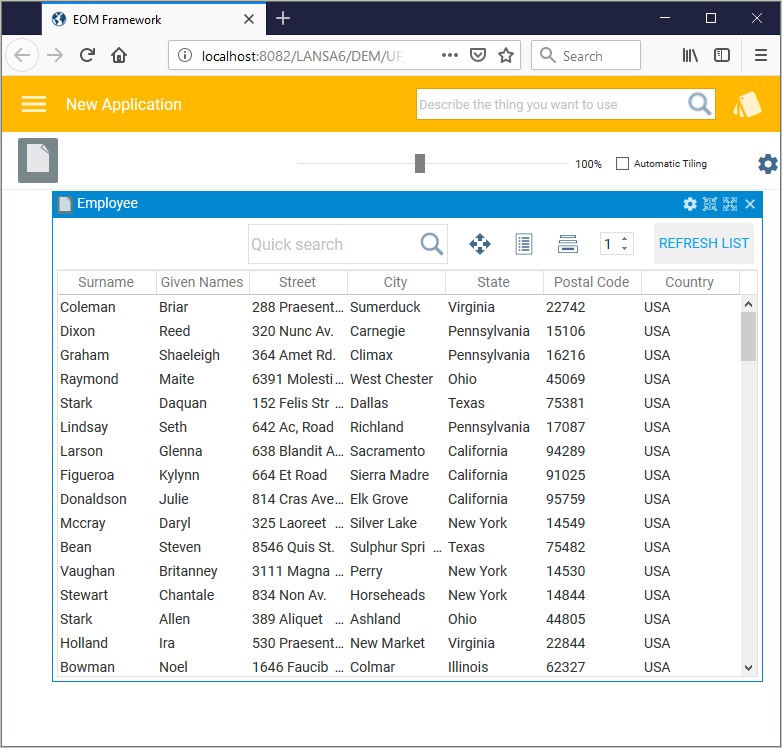
The filter that fills the instance list, XXX_XEMPLOYEE_FilterHiddenAll, is hidden i.e. it has no user interface.
In the workbench, use the Optionally, choose to display lists in a non-default shipped style and choose Simple Expand / Collapse Style, then click Apply.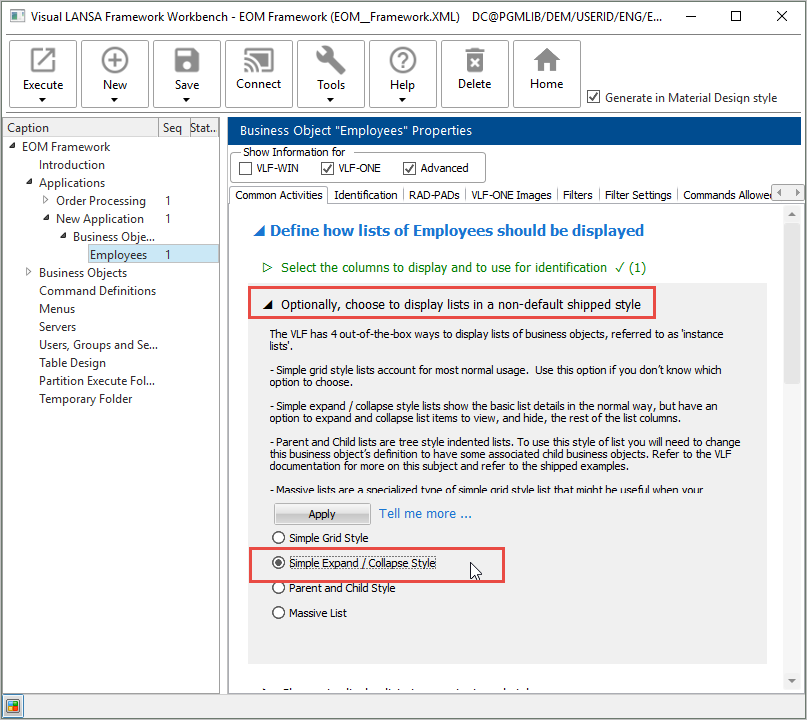
Execute the Framework to see the Expand / Collapse instance list style: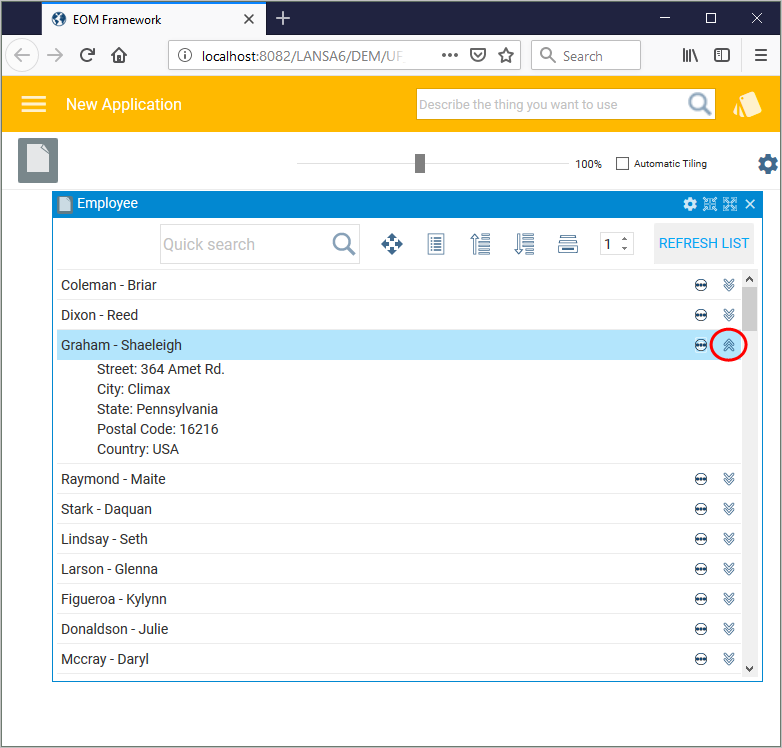
There are also options to display the instance list in Parent-Child Style or as a Massive List.
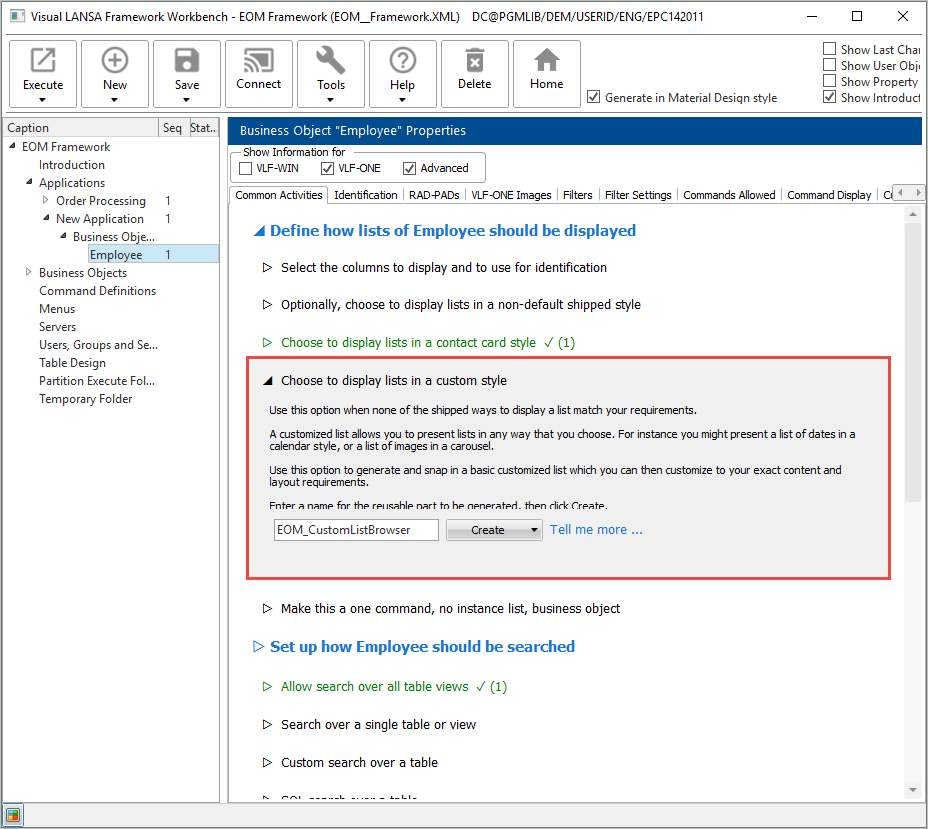
In the workbench, select Choose to display lists in a contact card style and click Create, then choose Create Only.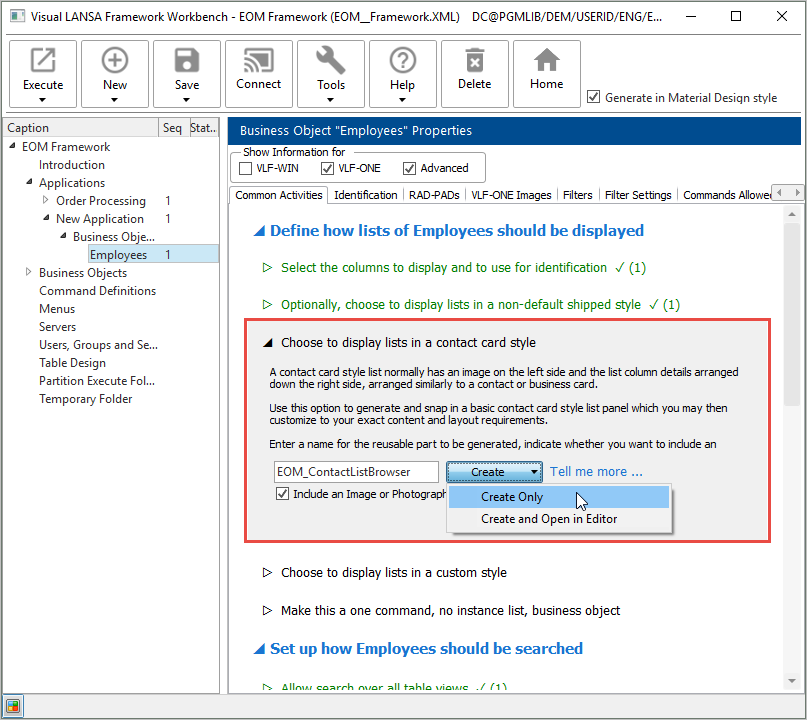
Execute the Framework to see the Contact Card instance list style: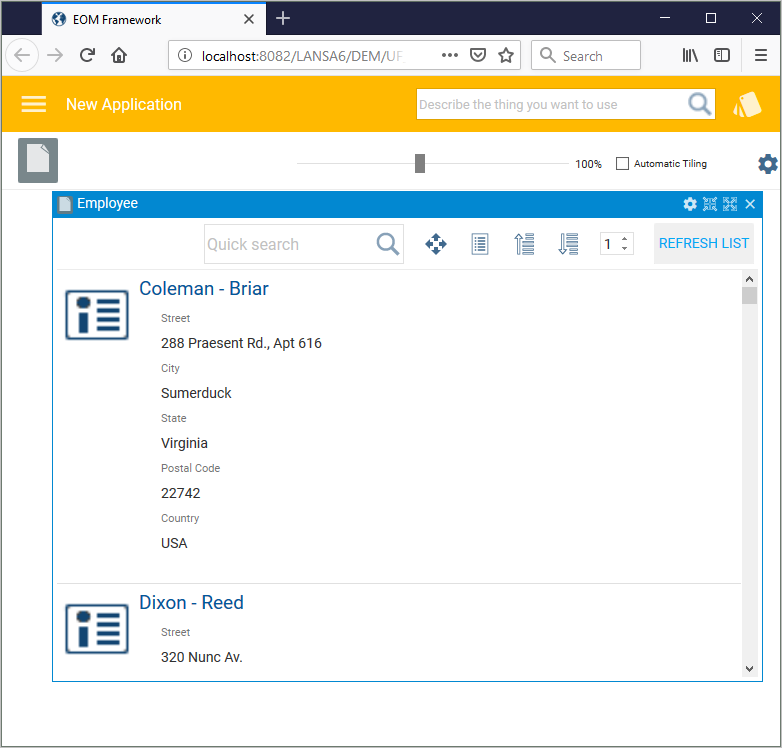
Image placeholders are shown on the left because no images are present in the data.
Note that there is also an option to create a basic instance list which can be customized to match your requirements.