The Copy Settings tab enables copying settings from the selected instance to the current instance.
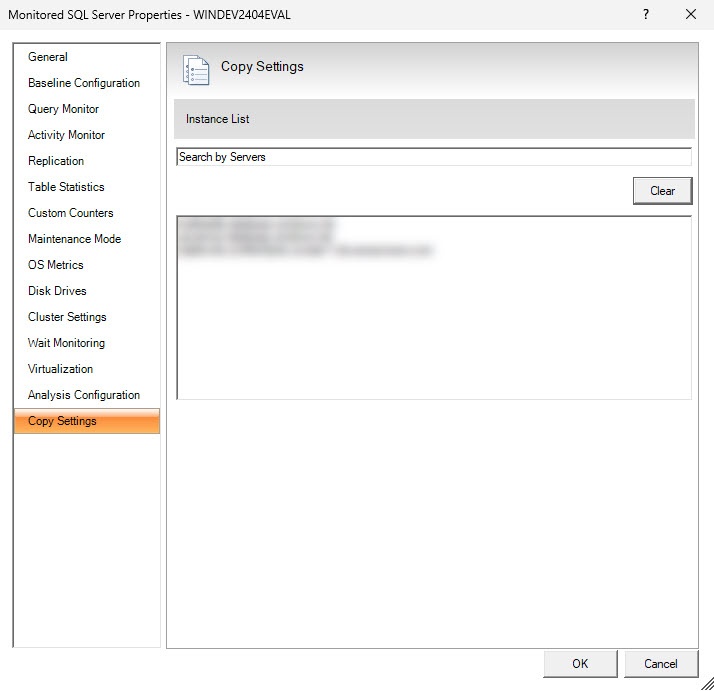
Copy settings from a specific instance to the target instance
Please follow the steps below to copy the settings from a specific instance to the target instance.
- Right-click the instance to which you want to copy your personal configuration.
- Select the Properties… option from the dropdown list.
- When the Properties wizard opens, go to the Copy Settings tab.
- Select the server whose configuration you want to copy. Choose it from the instance list or use the search bar to find it.
- Click OK to apply the changes.
The Clear button will reset your search criteria and server selection.
What are the copied properties?
You cannot copy the settings for the OS Metrics, Disk Drives, Cluster settings, and Virtualization tabs.
Below is a list of all the properties that can be copied when using this feature.
General
You can copy the following properties from the General tab.
- Collected diagnostic data and raise alerts (max 30 minutes)
Baseline configuration
You can copy all the properties from the Baseline Configuration tab.
Query Monitor
You can copy all the properties from the Query Monitor tab.
Replication
You can copy all the properties from the Replication tab.
Maintenance Mode
You can copy all the properties from the Maintenance Mode tab.
Wait Monitoring
You can copy all the properties from the Wait Monitoring tab.
Analysis Configuration
You can copy all the properties from the Analysis Configuration tab.