These steps are optional.
If you are using anonymous user access to the Web site, you can configure a partition-specific default user profile.
- Start the Web Administrator.
- Connect to the IBM i Data/Application Server as partition security officer.
- Choose the Security menu and select the User Registration… command.
The User Registration window is displayed: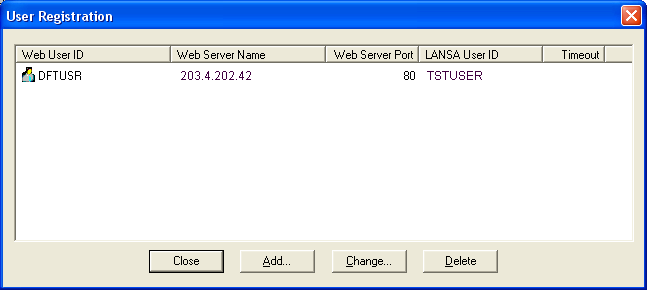
- Press the Add button on the Add User dialog to register a new user.
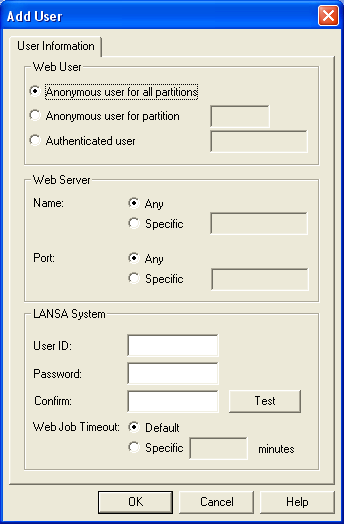
- Enter the required information. For the Web User, choose Anonymous user for partition and enter the three character partition identifier. For more information about the IBM i user profile, refer to Web and IBM i User Profiles in the LANSA Web Administration Guide.
- Exit from the LANSA Web Administrator.
The new partition is now ready for use.
You have completed the Web Enable New IBM i Partition using Web Administrator task.