The Process Sequence Log page of the Management Console shows the processing sequence log for a selected or specified processing sequence run.
You might arrive at the Processing Sequence Log page in either of two ways:
- By clicking or tapping a history item on the Process Monitor Page
- Using a direct URL link, for example, as provided in an email event notification – refer to Event Maintenance for more information.
The Processing Sequence Log can contain a vast amount of detail - depending on logging settings that were in effect and on the completion status of the processing sequence run.
LANSA Composer tries to show the most pertinent information initially, but you can alter the amount of information shown by:
- Clicking or tapping the Show detailed or Show summary button at the top-right;
- Expanding or collapsing items that show a '+' or '-'. You can do this by clicking the '+' or '-' symbol with your mouse or by tap-hold (tap and hold for about 1 second) on the line that you wish to expand or collapse.
You can also tap on any line to show more detailed information about that log entry.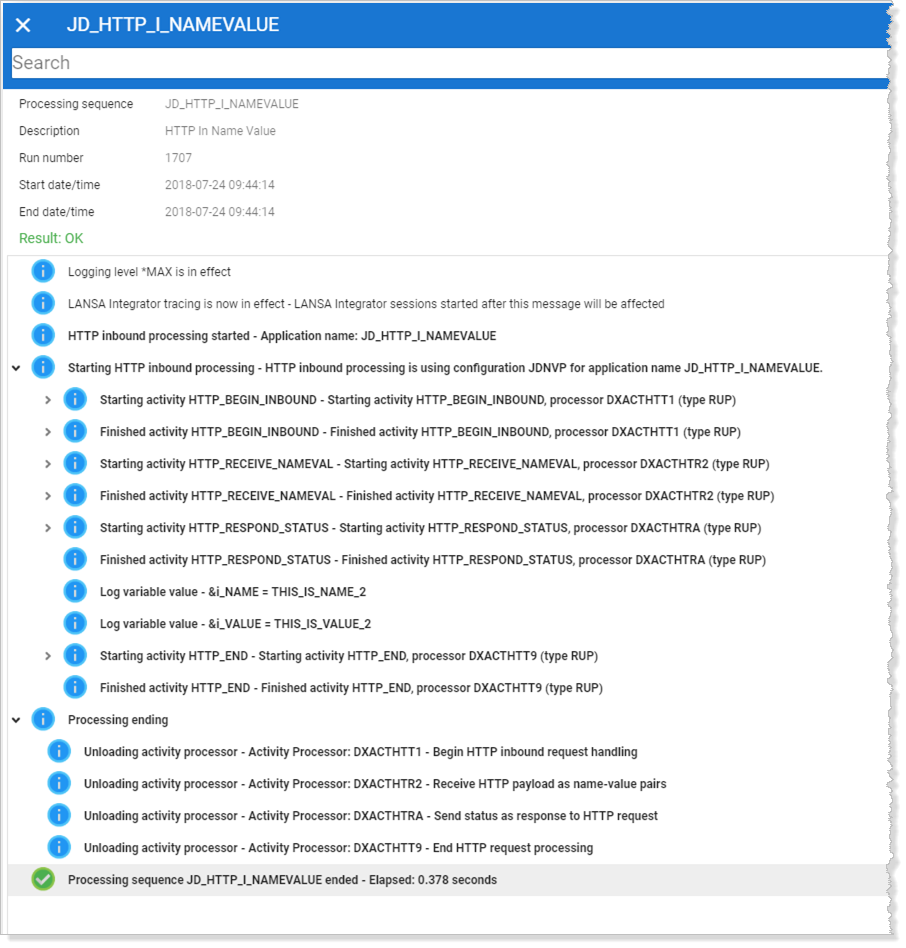
Copy the text from the processing sequence log to the system clipboard.