You are viewing an old version of this page. View the current version.
Compare with Current View Page History
« Previous Version 2 Current »
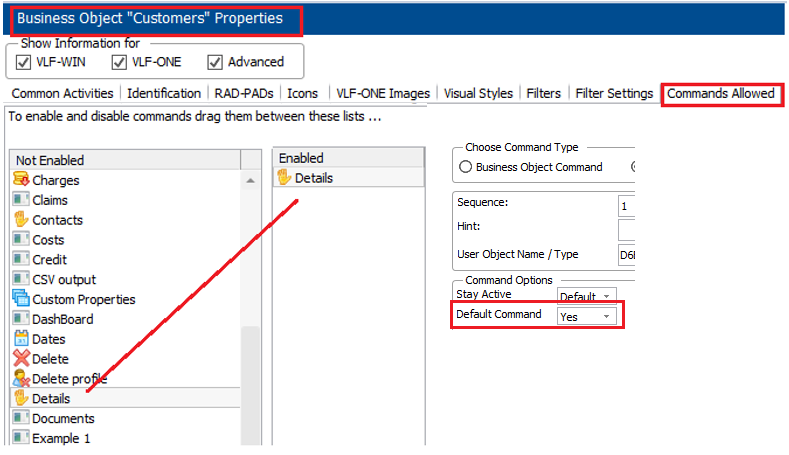
顧客のビジネス・オブジェクトを選択して、[使用可能コマンド] タブをクリックします。
詳細コマンド・ハンドラーを [使用可能] リストにドラッグして、デフォルトのコマンドにします。
保存して再起動します。