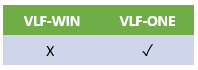
In VLF-ONE applications, you update an instance list entry directly.
A VLF-ONE instance list entry (aka item) is a class #VF_LM003O object.
These are the most common properties of #VF_LM003O that you use in your code:
avVisualID1 and avVisualID2 | The two visual identifiers |
avAKey1 -> avAKey5 | Alpha keys 1 through 5 (you can't update these) |
avNKey1 -> avNKey5 | Numeric keys 1 through 5 (you can't update these) |
avAColumn1 -> avAColumn10 | Alpha columns 1 through 10 |
avNColumn1 -> avNColumn10 | Numeric columns 1 through 10 |
avDColumn1 -> avDColumn5 | Date columns 1 through 5 |
avIColumn1 -> avIColumn3 | Image columns 1 through 3 |
In your code #avListManager.CurrentInstance is always a reference to the current instance list item.
So this is how to find the current instance in an instance list ……..
If (#avListManager.CurrentInstance *Is *null)
    #Sys_web.Alert Caption(
    '
    There is no current item
    '
    )
Else
    #Sys_web.Alert Caption(
    '
    Current item is
    '
     + #avListManager.CurrentInstance.avVisualID1)
Endif
Note Carefully: Never keep list item references in your own code because your application will leak.
Note that VLF-ONE also supports the concept of Associated Instances.