Profiling is run automatically after a model is discovered for the first time. Profiling can be run again for an individual entity or attribute from the diagram; or it can be run for a model version, group, schema, entity or attribute, from the repository tree.
- To run profiling from the repository tree, select an existing model version, group, etc. you want to profile and select
 Profile data from the Workflow pane.
OR
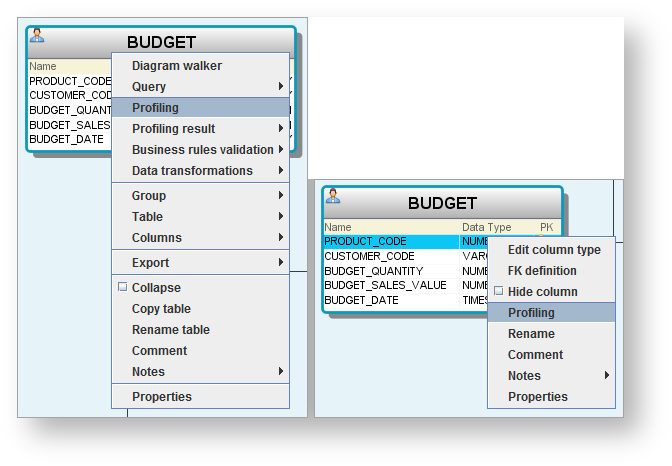
- To run profiling on an entity or attribute from the diagram, right-click on the entity or attribute in the diagram and choose Profiling:
- Select Quick, Full or Custom profiling radio button.

Tip
Profiling collects and stores data to produce profiling information. If this capability is used on entities or attributes that contain sensitive data (including personally-identifiable information (PII)), that sensitive data may be stored in the WhereScape 3D metadata repository. WhereScape 3D uses the built-in Java javax.crypto packages with the Java Cryptography Extension (JCE) Unlimited Strength and AES-256 with GCM operation and PKCS5 padding to encrypt all profiling data that is stored in the metadata repository.
- For Quick profiling, refer to Quick Profiling for details.
- For Full profiling, refer to Full Profiling for details.
- For Custom profiling, refer to Custom Profiling for details.