Once we have our filtered list we need to establish what happens when we click on an instance in the list.
We need to establish a relationship between the product in the instance list and an action to happen when we click in the list. In VLF-ONE it's called a command.
Active Jobs and System Status are commands. They are associated with the Business Object System Tasks.
The command we need for products must be associated with the instance list.
Working In the workbench, expand the RAMP Tutorials application, Business Objects and click on Products.
Switch to the Commands Allowed tab, and locate the Details command in the Not Enabled list of commands:.
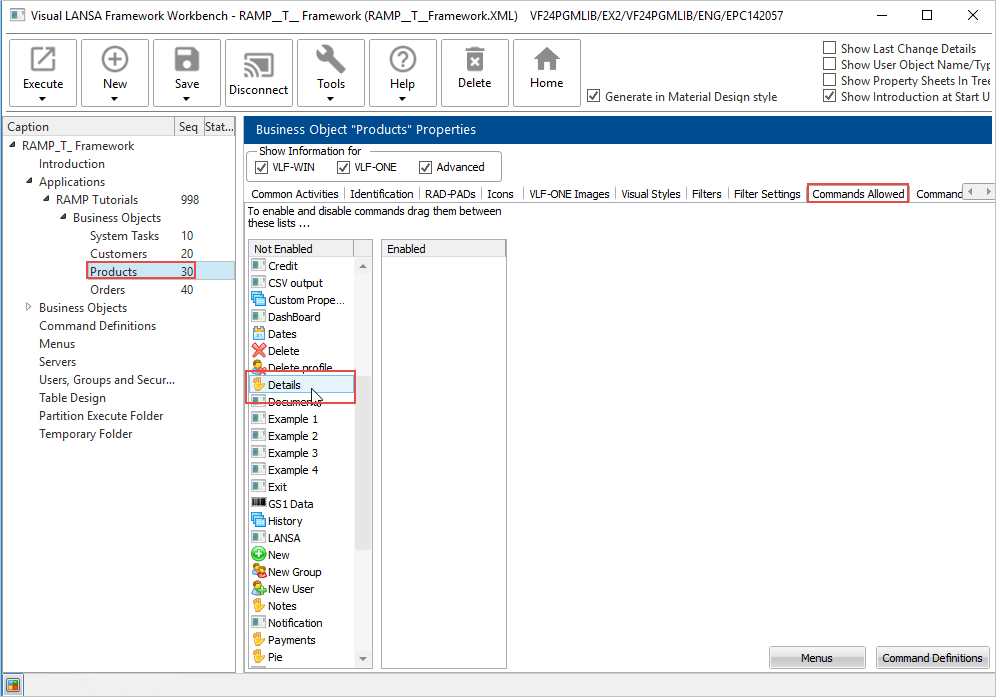
Drag it to the Enabled list.
Click Close in the Please Note dialog, do not save and restart yet.
Set the Default Command to Yes.
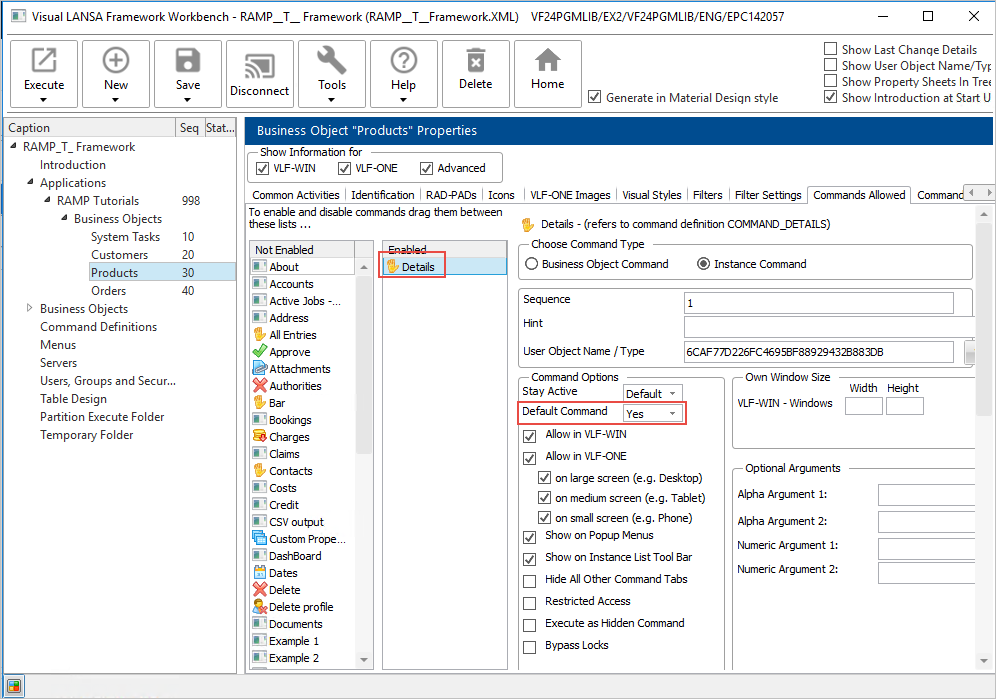
Now save and restart the Framework.