Page History
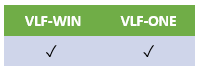
To update VLF-ONE instance list items, refer to Handling Instance List Entries in VLF-ONE.
To do this in VLF-WIN, use #AvListManager.BeginListUpdate Mode(DYNAMIC), as in these examples:
To change SECTION ADM-02 to have a VisualID2 of hello:
Invoke Method(#avListManager.BeginListUpdate) Mode(DYNAMIC)
...
Invoke Method(#avListManager.EndListUpdate)
To change employee number A1012's VisualID2 to FREDDO FROG:
Invoke Method(#avListManager.BeginListUpdate) Mode(DYNAMIC)
...
Invoke Method(#avListManager.EndListUpdate)
...