Page History
グリッドはフィールドのデフォルト値ウェブレットを使って、自動的に各カラムをビジュアライズします。時にはウェブレットのプロパティを変更したり異なるウェブレットを使用したい場合もあると思います。このような場合は、grid_col_propertiesプロパティを編集し、カスタマイズしたいカラムの[カラムのカスタマイズ]オプションを選択します。
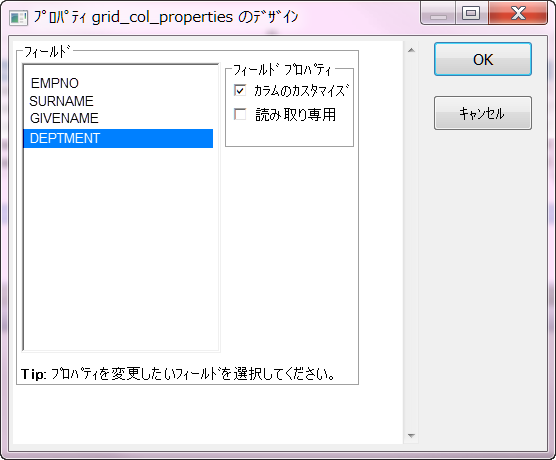
[OK]をクリックすると、カスタマイズされたカラムはブランクになります。
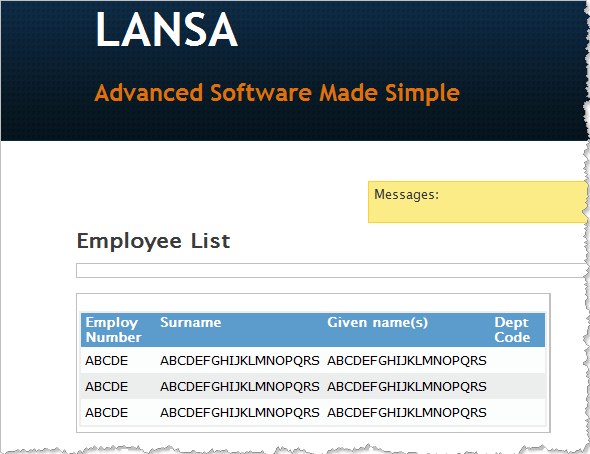
このカラム内の空のセルのいずれかにドラッグすることで、どのウェブレットでも追加することができます。
...
Reference Column Values in Weblet Properties
...
The grid will automatically visualize each column using the default weblet for that field. Sometimes you may want to change the properties of the weblet or use a different weblet. To do this, edit the grid_col_properties property and select the Customize Column option for the column you wish to customize.
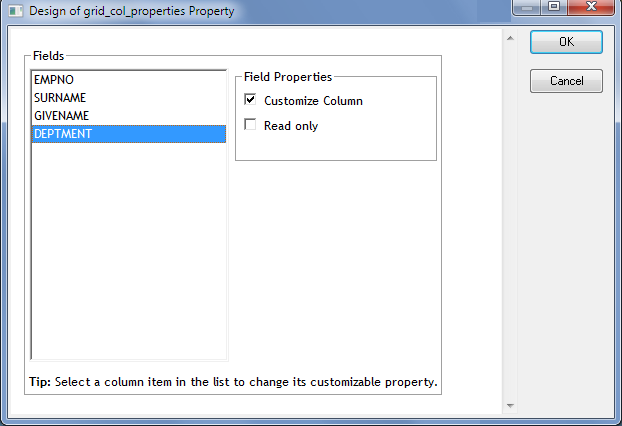
When you click OK, the customized columns will go blank.
Now you can add any Weblet to the column by dragging it to any one of the empty cells in the column.