Page History
RAMP-TS 5250 destination screens are displayed on framework command handler tabs. Typically just one screen is displayed on a command handler tab. However it is possible to split multiple screens up across multiple tabs. This tutorial covers the concepts and skills required to do this.
Objectives
- Learn how to attach a destination which has been spread across multiple screens to multiple tabs.
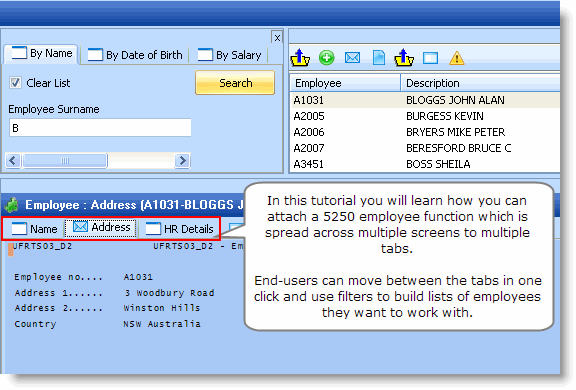

To achieve this objective, you will complete the following steps:
RAMP-WINAD06 Step 1. A Multiple 5250 Screen Scenario
RAMP-WINAD06 Step 2. Name the Screens
RAMP-WINAD06 Step 3. Classify the Screens
RAMP-WINAD06 Step 4. Review and Understand the Targets List
RAMP-WINAD06 Step 5. Using Multiple Command Handler Tabs
RAMP-WINAD06 Step 6. Review and Alter Buttons and Function Keys
RAMP-WINAD06 Step 7. Review the value you have added to the 5250 application
RAMP-WINAD06 Appendix: Function UFRTS03
Before You Begin
The following are assumed knowledge for the commencement of this tutorial. You need to:
...