Page History
Start a host session in RAMP tools and sign in.
Display customer maintenance by typing In the command line:
lansa run df_ramp dfrcusm partition(dem)
Type 1001 in the customer number field and press Enter.
In the Customer Maintenance screen:
- Click the menu and select Screens

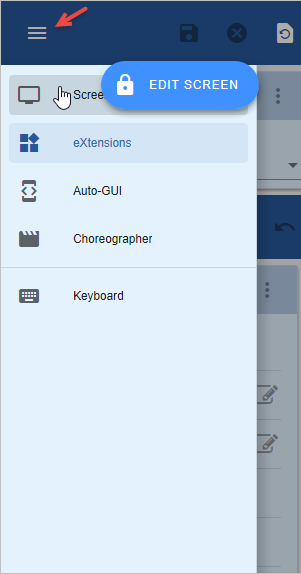
- Set the name of the State field (not its caption) to State.
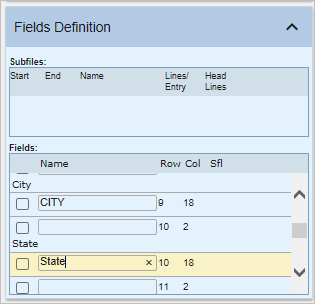
- Save the screen.
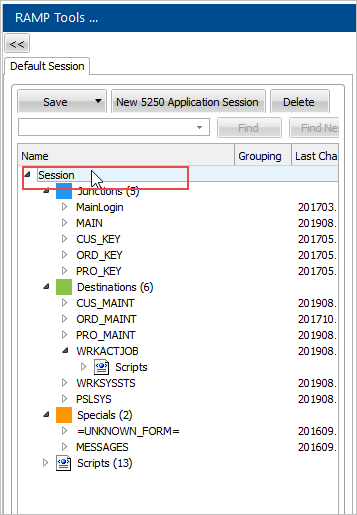
In the Session tree view, click Session.
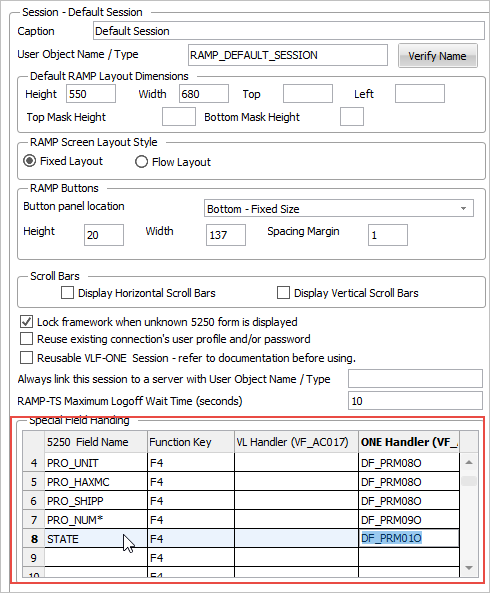
In the Special Field Handling grid you fill in the name of the 5250 field and the handler.
- Leave F4 as the function key to trigger the prompter.
- Use the shipped sample DF_PRM01O as the handler:
Switch to the details of the CUS_MAINT screen and enable the F4 key:
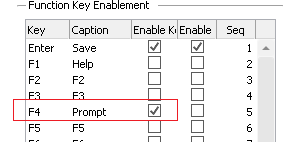
Save the framework.