Page History
...
http://XXXXXXXX:8080/XXXPGMLIB/lansaweb?about (IBM i) orhttp://XXXXXXXX:8080/Composer/lansaweb?about (Windows)
If this succeeds, the LANSA for the Web About page should be shown.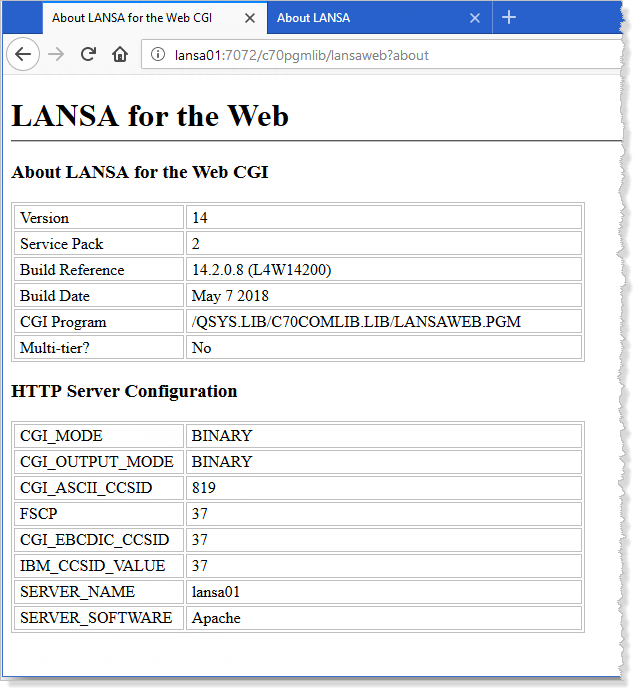
...
If, instead, you receive an error, the most usual cause is that the LANSA listener for the LANSA Composer Server is not active. For information about starting the LANSA listener, refer to the topic below that is appropriate to your LANSA Composer server:
IBM i servers: Subsystems and Jobs
Windows servers: Services used by the LANSA Composer Windows Server
If the listener is running, then you should start by checking that the LANSA web configuration is correct, especially that part concerning the connection to the data/application server. Use the LANSA Web Administrator program to do this. A shortcut to start the LANSA Web Administrator is installed with your LANSA Composer client software.
...
| Panel | ||
|---|---|---|
| ||
| If this succeeds, you will see the Performance Monitor Page of the Management Console. You have completed the trouble-shooting procedure. |
...