In this step you will do the following:
* Change a Framework setting and save the Framework so that a
Framework definition DAT file is created.
* Create an /External Resource/component and add the DAT file to it.
* /Check in/the /External Resource/component to the IBM i master LANSA
system.
This file is created when the Framework is saved if the Generate VLF-ONE
or VLF-Web Resources option has been selected.
1. Select the/Generate VLF-ONE or VLF-WEB Resources/ option in the
Web/RAMP Details tab.
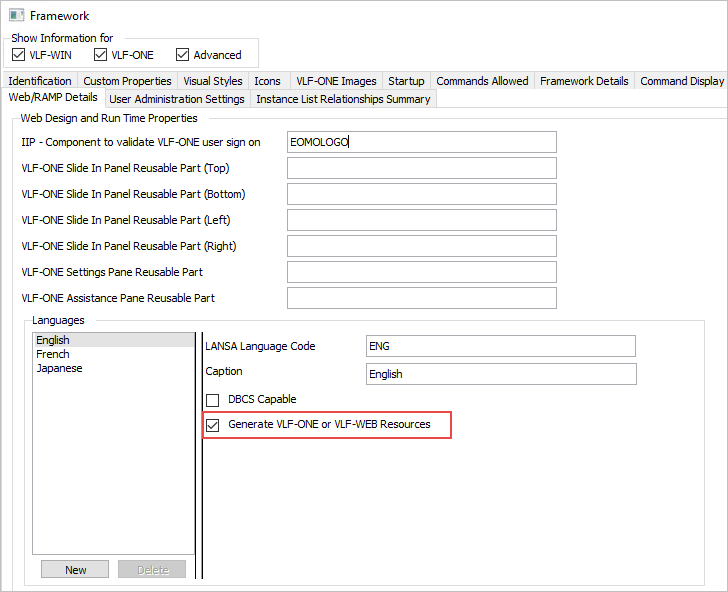
2. Save the Framework.
Next copy this file to the IFS so it can be included in the deployment
package.
4. Switch to the Visual LANSA IDE.
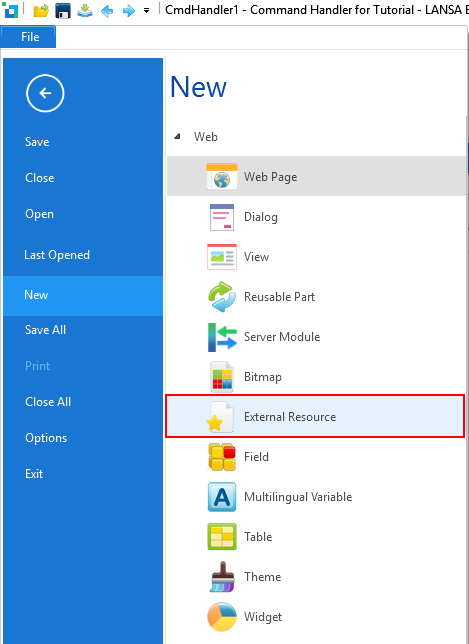
5. Use the /New/ option in the /File/ menu to create an /External
Resource/.
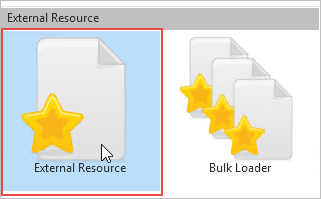
6. Name the /External Resource/ iiiFrameworkDATFile where iii are your
initials.
7. Use the prompter to locate your DAT file. The name of the .DAT file
is prefixed with the name of your Framework, and the language code you
are developing for (here ENG). The DAT file is written to your partition
/Execute/ directory. For example:
C:\Program Files (x86)\LANSA\X_WIN95\X_LANSA\x_trn\EXECUTE
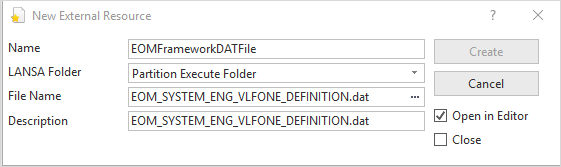
8. Click /Create/.
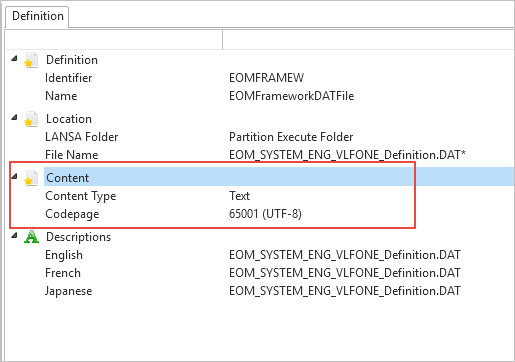
9. In the open external resource file in the editor, double-click
/Content/ to change /Content Type/ to Text and make sure the Codepage is
65001 (UTF-8).
10. Save and close iiiFrameworkDATFile.
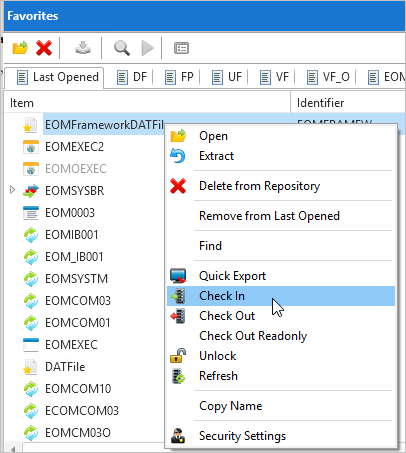
11. Locate iiiFrameworkDATFile on the /Repository/ tab and right-click
and select /Check In/.
12. Make sure the /Extract/ option is selected.
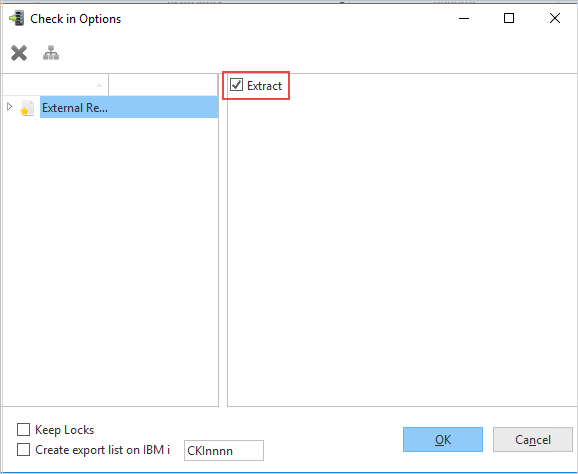
13. Click OK.
14. Verify there are no errors in the check in.