In this step, you will create a Web Page component and open it in the editor.
1. On the File menu, use the New button and select Web / Web Page / Blank Page.
The New Web Page dialog is displayed:
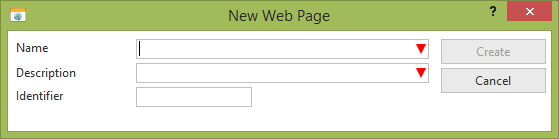
2. Enter the following:
a. Name: iiiHelloWorld (where iii=your initials)*
b. Description: Hello World
d. Click the Create button.
3. Your new Web Page component will open in the editor, with the Design tab selected.