The RAMP-TS emulator session shows the 5250 session screens with an action panel shown on the left. The Screens tab is where you specify the name of the screen and any fields you need to name:
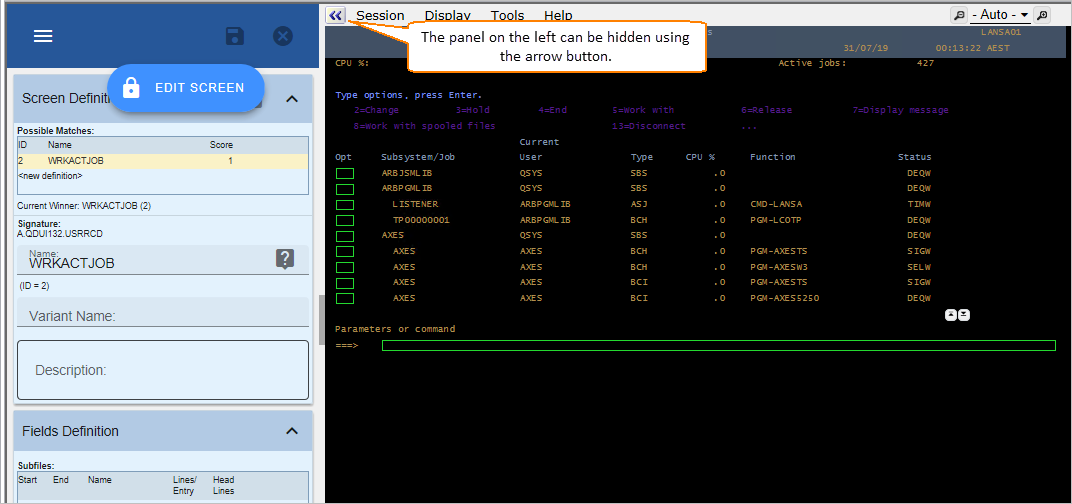
The RAMP-TS emulator session shows the 5250 session screens with an action panel shown on the left. The Screens tab is where you specify the name of the screen and any fields you need to name: