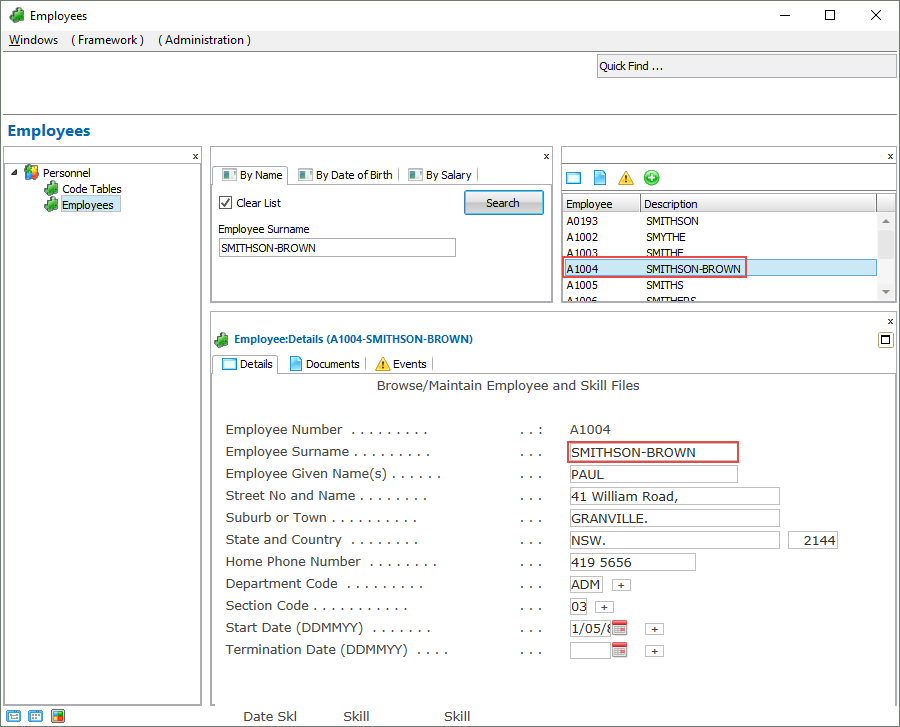
In this step you will change the script for the FindEmployee screen to navigate back to the Browse/Maintain Employee and Skill Files screen after the details of an employee have been saved.
1. Locate the vHandle_ARRIVE function in the script for FindEmployee.
2. Under the declaration var bReturn = true; create a new object:
var oEmp = new Object();
3. Below the statement /* <ARRIVE /> - Do not remove or alter this line */ add code to check if the previous screen is DisplayEmployee:
if (oPreviousForm.vName == "DisplayEmployee") { }
4. In the if statement signal to the Framework that that the filter needs to update the instance list with the new employee:
oEmp.empno = GETVALUE("txtEmpno"); AVSIGNALEVENT("Update_List_Entry","BUSINESSOBJECT", oEmp.empno);
5. And add this code to navigate back to the DisplayEmployee screen:
NAVIGATE_TO_SCREEN("DisplayEmployee");
Your code will now look like this: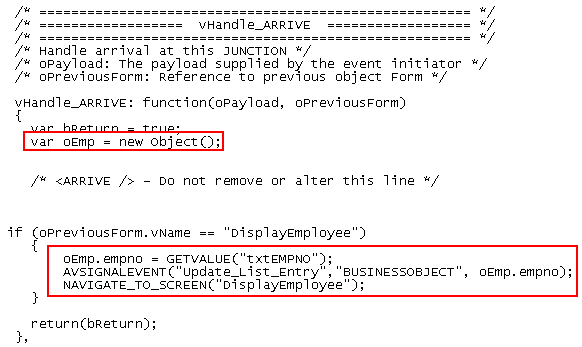
6. Commit changes and then do a partial save.
7. Execute the Framework as a VLF-WIN application, and update the details of an employee. Notice that the DisplayEmployee screen is now redisplayed and the instance list reflects the changes to the employee details: