If you are installing a LANSA product or part of a LANSA product as a standalone task, simply:
1. Start the Installation process.
2. Select the Other Products option from the Setup Type dialog.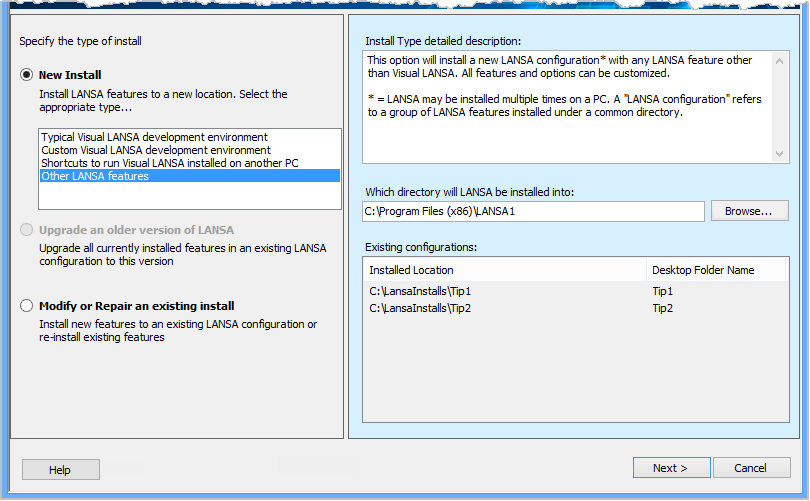
The Features dialog will automatically be displayed.
3. From the Features dialog, select (ü) the product(s) you wish to install and deselect those that you don't wish to install. 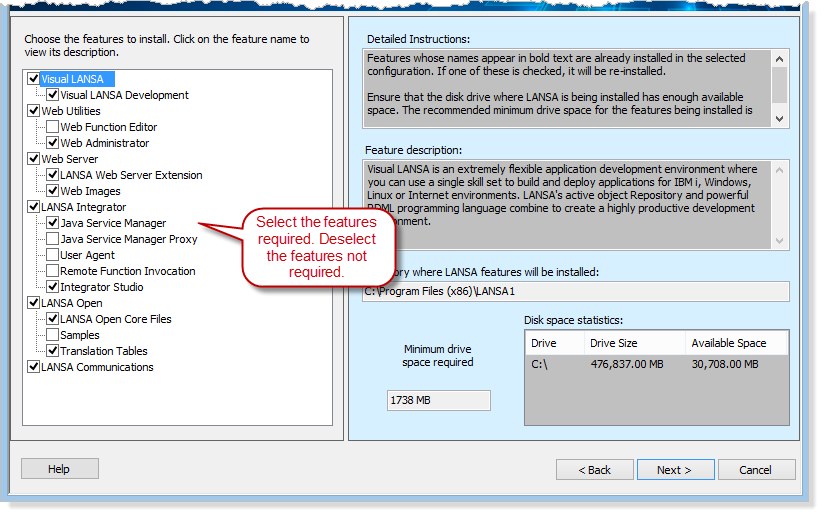
You will then be taken to the Options and Summary dialog to supply the details required or to be confirmed for your particular product choice. If you require any information about these details, refer to 3.4 Specify Options.