In this step, you will review the test form and make sure the iiiNotes field fits on the form.
1. Open the iiiTestFields form in the editor.
2. The form will open at the Design tab.
3. We need to adjust the width and height of the Notes field so that the multi-line edit box is shown properly:
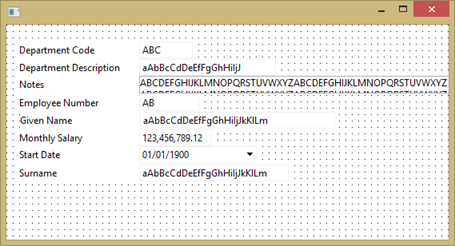
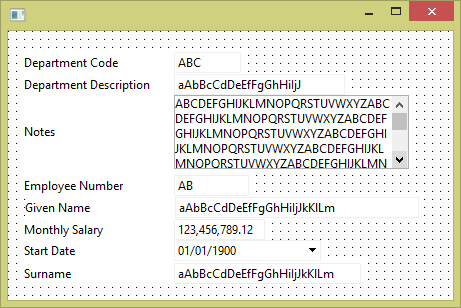
4. Drag the fields below Notes down the form and resize and rearrange the form so that the Notes field fits properly.
Note: You can select a number of fields by holding down the Shift key and clicking on each field. Then drag the group of fields downwards. Hold down the Shift key and select each field and then drag them as a group.
Your finished form should look like the following:
5. Compile the form. No additional code is required.