It is easy to chart the results of your query. All you need to do is:
1.Select some or all of your data in the Results window.
2.Select the Results menu and choose the Chart command or use the  chart icon on the toolbar.
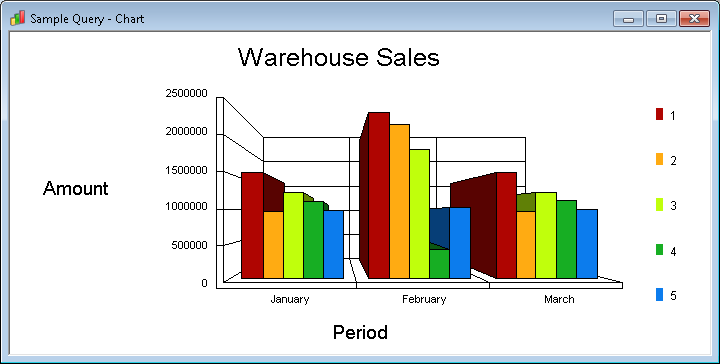
A new Chart window will be displayed with the selected data already charted.
You can re-chart another part of your Results without re-running the query by simply re-selecting a new region of data in the Results window.
Note that only numeric data can be charted. If you select alphanumeric data, it will be ignored.
You can simultaneously chart the same data in up to 4 different chart windows. Each window can display a different type of chart. To open a new Chart window, select the New Window command while you are focused on a Chart window. Use the Tile command in the Window menu to see all your charts at once.
How to customize a chart is described in detail in Creating Charts.