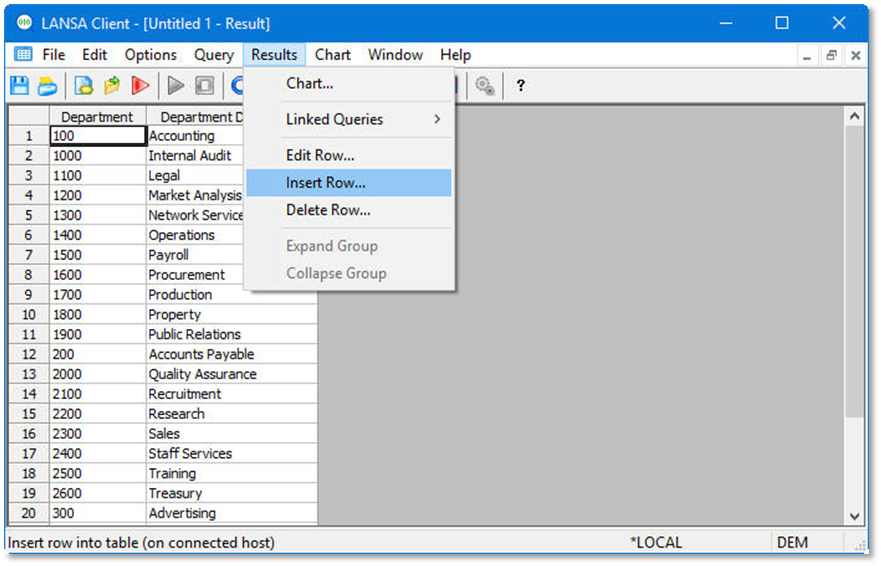
1. Select a row in the results window by clicking on the Row Number.
2. From the toolbar select the Results menu then choose the Insert Row command. Alternatively, right-click to open the pop-up menu and choose the Insert Row command.
3. Enter the details to create a new Department record.
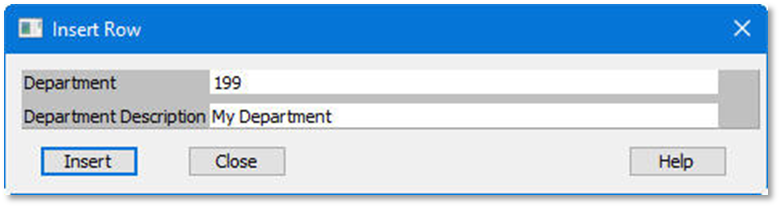
4. Click Insert
5. Close this query and results. There is no need to save them.