- Start the HTTP server Administration (ADMIN) facility. (See How to start the HTTP server Administration (ADMIN) facility).
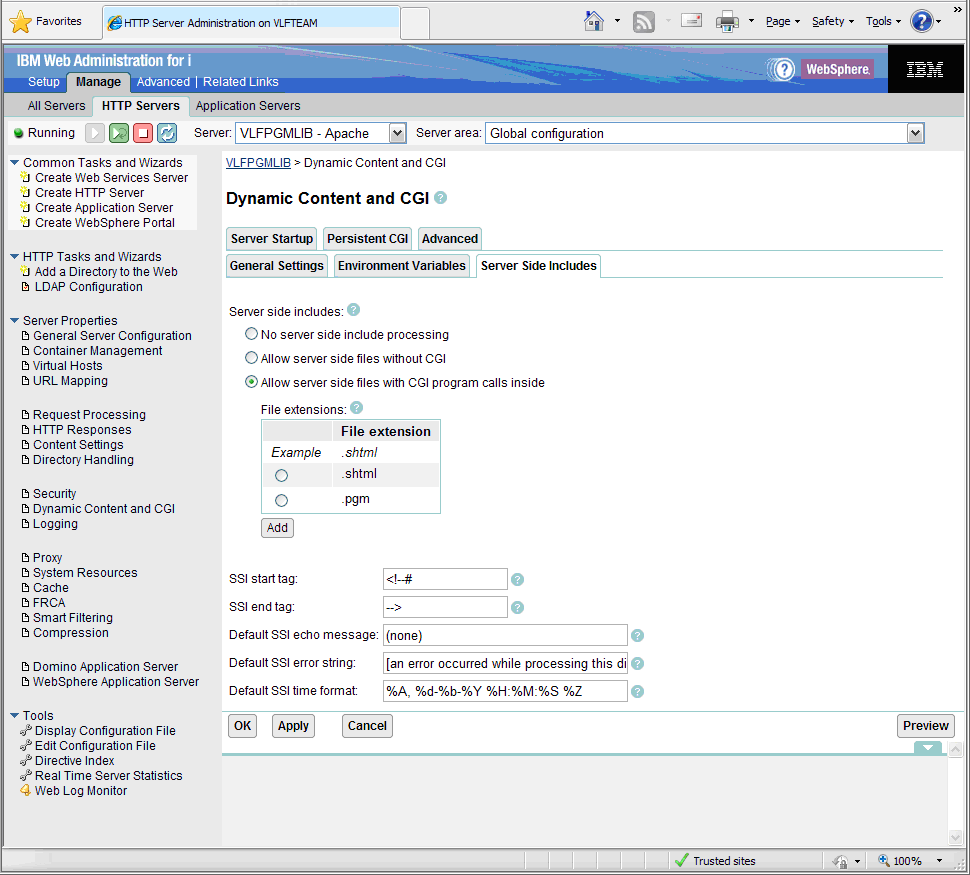
- Expand Server Properties and click Dynamic Content and CGI.
- Click the Server Side Includes tab in the form and select the option Allow Server Side Files with CGI program calls inside.
- Add the file extension .pgm (i.e.. a full stop followed by pgm) into the file extensions
- Click OK.