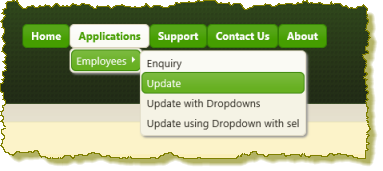
1. Make a note of the userid and password values which have been hard coded. Execute the login WebRoutine and login as ADMIN. The menu bar should look like the following:
2. If you are experiencing problems, try using debug to investigate.
3. Run the Login WebRoutine again and log in as USER. The menu bar should display the Applications top level menu item, but no sub-menu items will be shown.