You are viewing an old version of this page. View the current version.

Compare with Current View Page History

« Previous Version 2 Current »

テーブルにはデータを入れておく必要があります。

  1. テーブルを展開します。


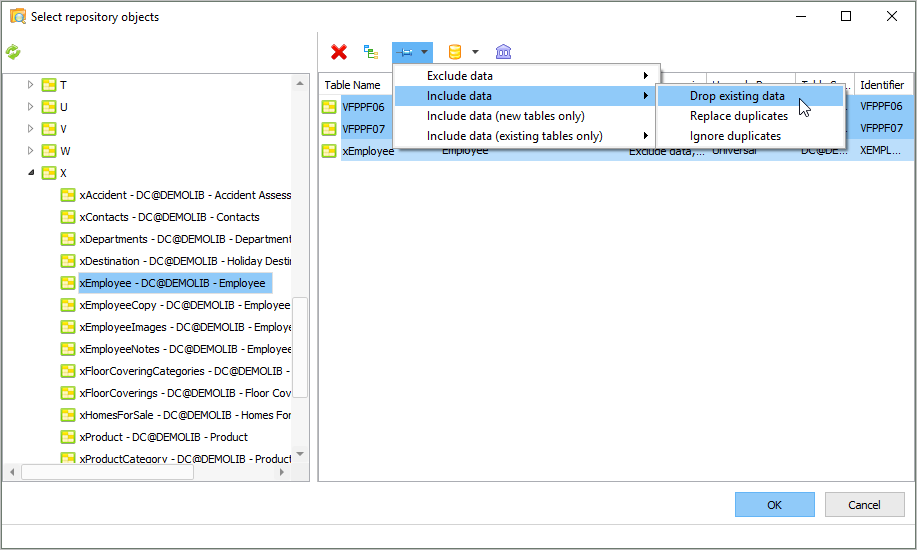
  2. テーブルを選択して、[データ処理] ボタンをクリックして、[データを含める] を選択します。
    [データ処理] の列にテーブルがデータと共にパッケージに組み込まれることが示されます。

  3. [OK] をクリックします。
  • No labels