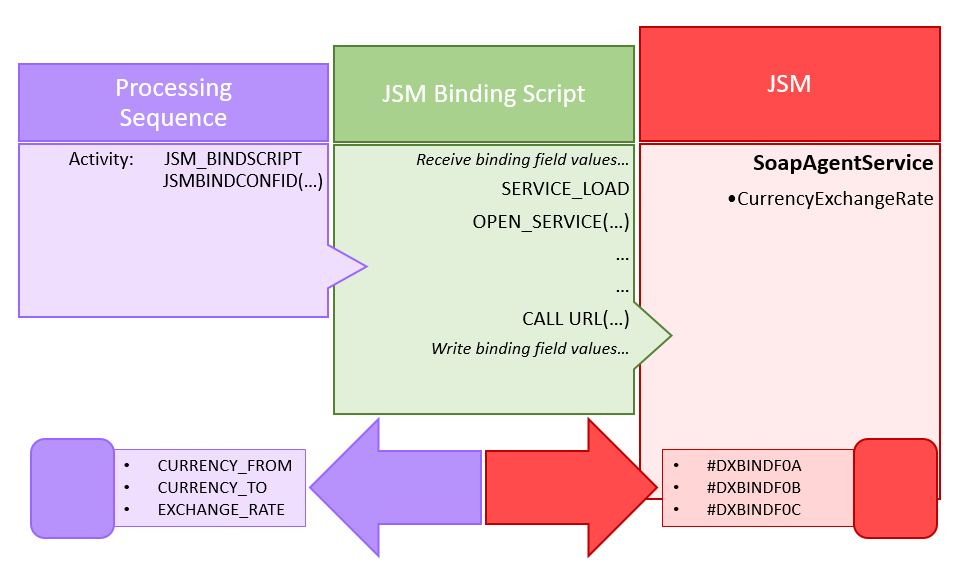
The JSM_BINDSCRIPT activity and the JSM Binding Script Configuration are designed to allow LANSA Composer solutions to interact with LANSA Integrator services that, to be useful, require the exchange of fields and/or working lists.
Specifically, it is intended to provide LANSA Composer users a means of:
This support enables LANSA Composer solutions to use these LANSA Integrator features without having to write, compile, and test program code.
While designed particularly for SOAPAgentService and JSONBindFileService, the same support may be used with other LANSA Integrator binding services such as the XMLBindFileService (although you may prefer to use a Transformation Map for most XML cases)..
It may even be used with some services that do not require you to create an associated binding solution. For example, it may be used with the PDFDocumentService to create PDF document files. (The supplied example processing sequence EXAMPLE_PDF02 provides a working example of this.)
Three key features of the JSM Binding Script Configuration provide this power and flexibility:
To make use of the JSM Binding Script Configuration and the JSM_BINDSCRIPT Activity, you would normally complete the following main steps:
1. Create, build, and deploy a LANSA Integrator binding solution
2. Create a JSM Binding Script Configuration that uses the binding solution
3. Create a Processing Sequence that uses the JSM_BINDSCRIPT activity
When you run your solution, your processing sequence, the JSM Binding Script, and the LANSA Integrator JSM binding solution will work together to accomplish the desired task.
Typically you will use LANSA Integrator Studio to create, build, and deploy a LANSA Integrator binding solution using the SOAP Agent Wizard or the JSON Binding Wizard.
You can use the LANSA Integrator Studio that is installed with the LANSA Composer client software for this purpose. You can start the LANSA Integrator Studio using the option on the Tools menu in LANSA Composer or by using the shortcut provided in the LANSA Composer program group.
Most importantly, when you define your solution in the LANSA Integrator Studio SOAP Agent Wizard or the JSON Binding Wizard, you must use the binding field and working list names that are provided by the JSM_BINDSCRIPT activity. The binding field and working list names that you must use are specified under the following heading:
Binding Fields and Working Lists
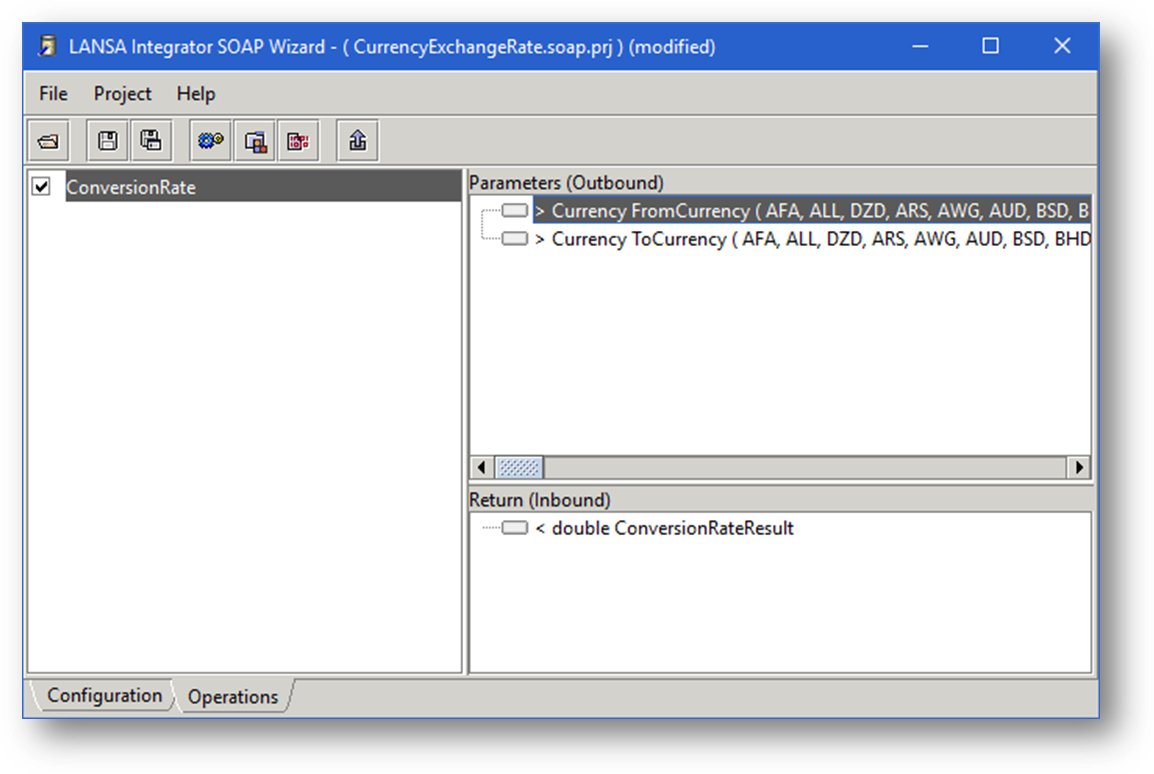
Refer to Manage Your LANSA Integrator Binding Solutions for important information to help you manage your LANSA Integrator binding solutions.
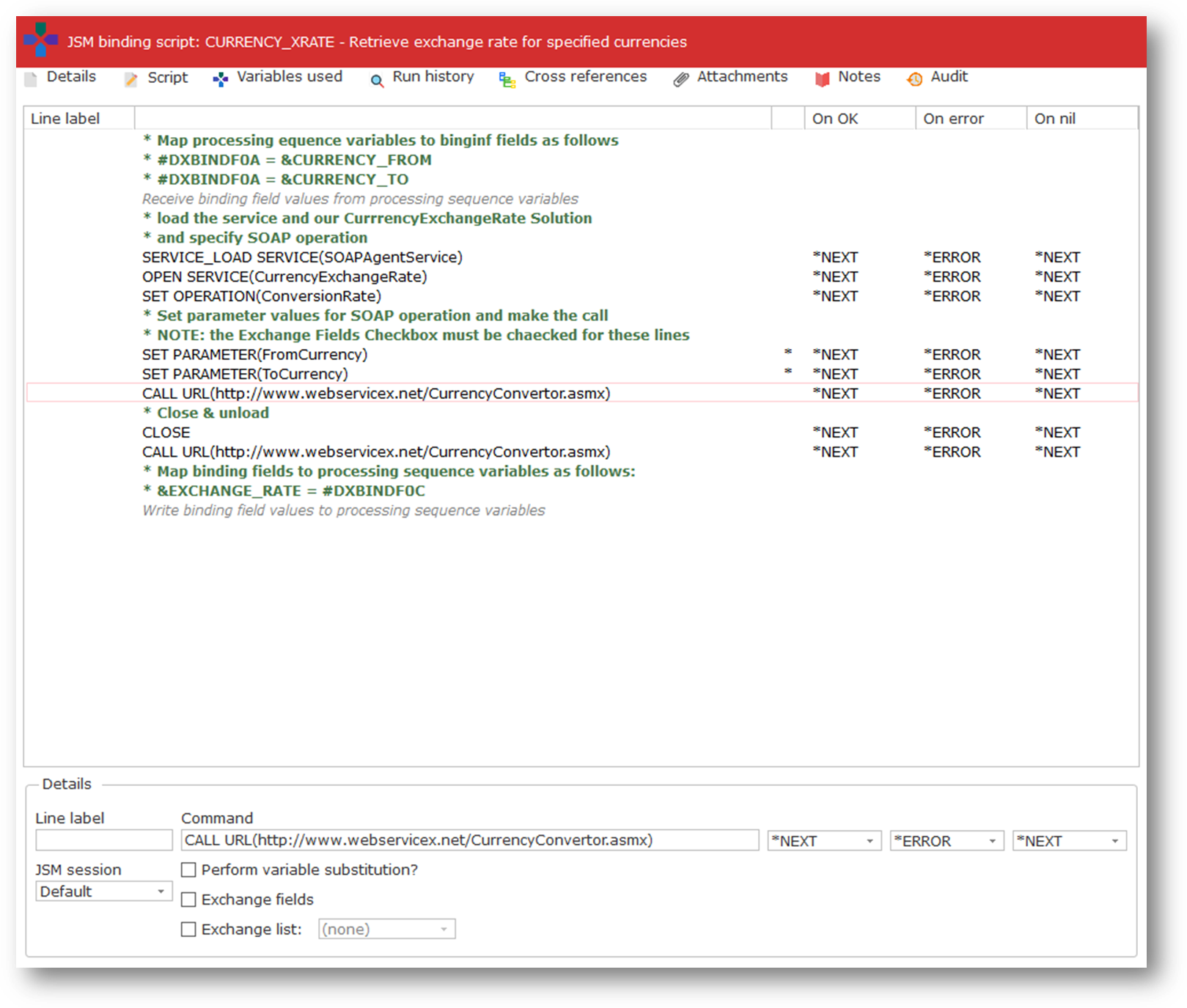
In order to use your LANSA Integrator binding solution in LANSA Composer, you need to create a JSM Binding Script Configuration.
The JSM Binding Script Configuration references your LANSA Integrator binding solution by including the necessary JSM commands. Typically this will include:
You will need to refer to the description of the service you are using in the LANSA Integrator Guide for complete information on the JSM service commands you can use in your script for that service. You can open the LANSA Integrator Guide from the Help menu in LANSA Composer.
Your script will usually also include directives to "bind" processing sequence variable names to the binding field and working list names used in your LANSA Integrator binding solution. In addition, it may contain directives to control looping and iteration.
Finally, when your JSM Binding Script is complete, you can execute it in a Processing Sequence by including the JSM_BINDSCRIPT activity and naming your JSM Binding Script Configuration in the JSMBINDCONFIG parameter of the activity.
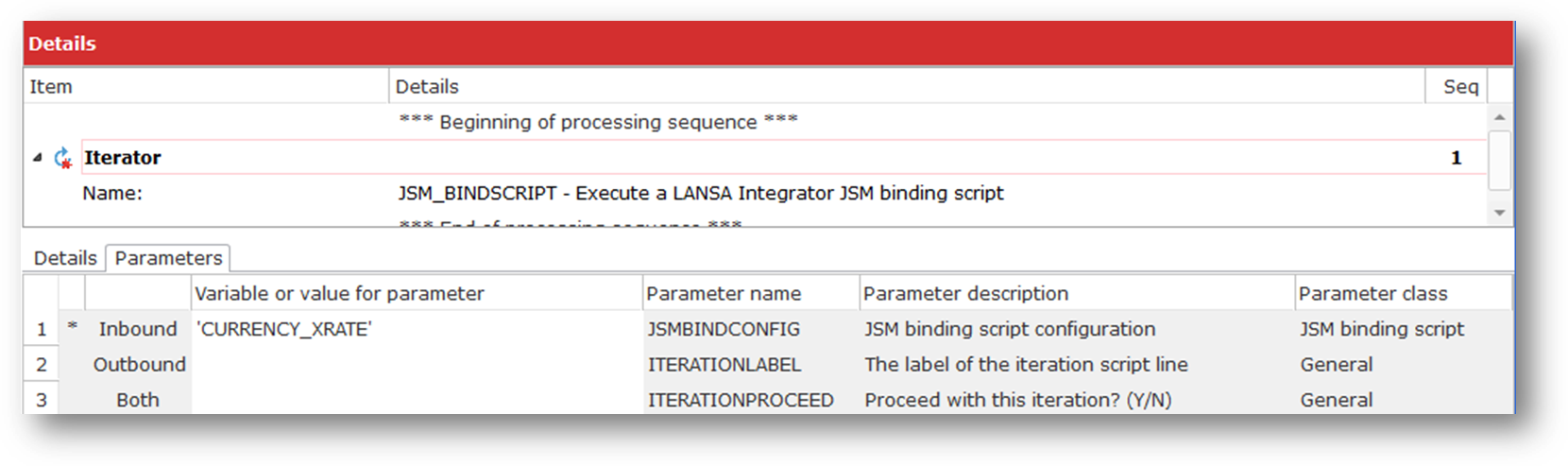
When you do so, the Processing Sequence variable names referenced in the JSM Binding Script configuration will appear in the Variables tab of the Processing Sequence Editor, allowing you to easily add whatever Processing Sequence directives are necessary to populate the input variables or receive the values of the output variables.
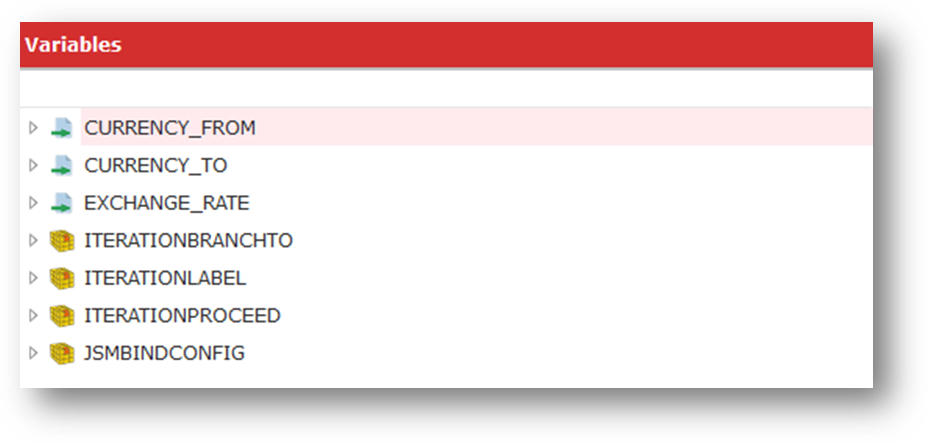
If applicable, your Processing Sequence may include processing directives nested below the JSM_BINDSCRIPT activity that responds to and processes any iterations specified in the JSM Binding Script using the Perform iteration directive.