Tracing Usage can be done for a single table. Tracing Usage can also be done for schemas and groups and in this case will show all tables within the diagram.
Right-click on the table in the diagram and select Table>Trace table usage.
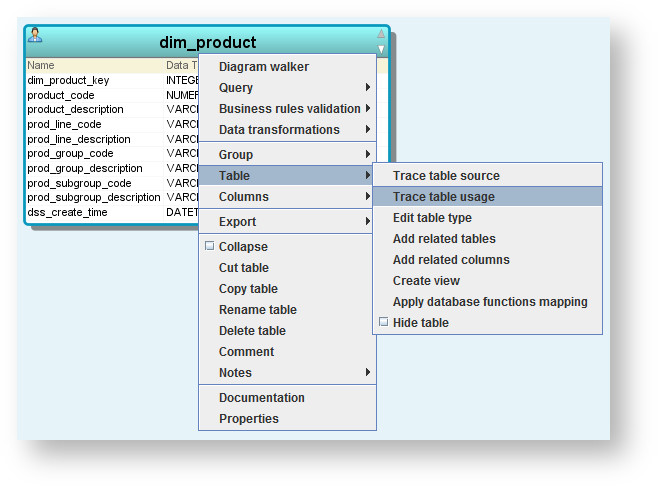
A track forward diagram is displayed for the selected table.

Toolbar
| Icons | Description |
|---|---|
| Click to save the diagram in a separate location as PDF, PNG or SVG: |
| Click to print the diagram. |
| Click to pan across the diagram. |
| Enables you to select objects in the diagram and resize them. |
| Zoom in on the diagram. |
| Zoom out on the diagram. |
| Zoom. Click to select a zoom % from the drop-down list. |
| Layout. |
| Route foreign key joins. |
| Overview tab | Click to view an overall perspective view of the diagram.
|
| Keys tab | Click to view the color legend. |


