IDERA strives to ensure our products provide quality solutions for your SQL Server needs. The following known IDERA SQL Compliance Manager issues are described in this section. If you need further assistance with any issue, please contact Support.
Other Known issues in version 8.0
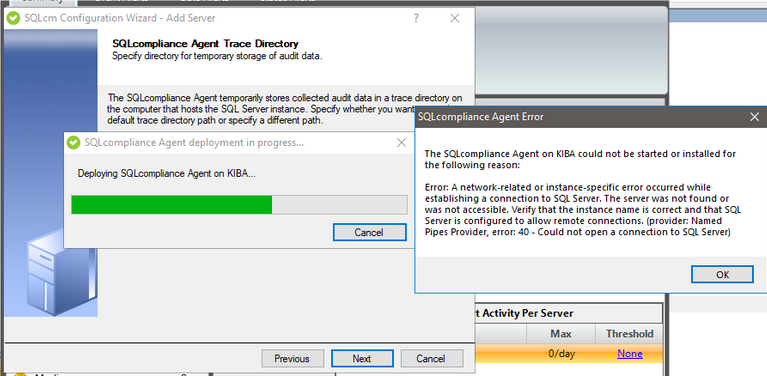
Collection services cannot be deployed from a console-only installation. Deployment must be initiated from a machine with the collection services installed.
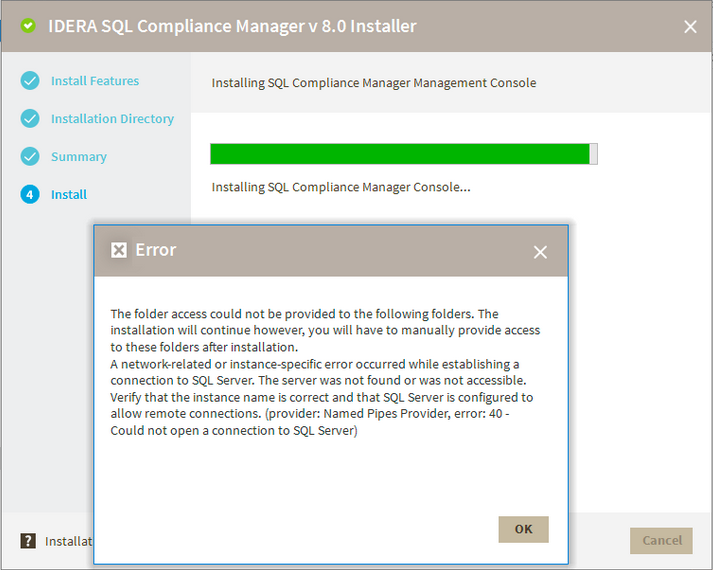
The following error message is displayed when performing a console-only installation.
The folder access could not be provided to the following folders. The installation will continue however, you will have to manually provide access to these folders after installation. A network-related instance or instance-specific error occurred while establishing a connection to SQL Server. The server was not found or was not accessible. Verify that the instance name is correct and that SQL Server is configured to allow remote connections.
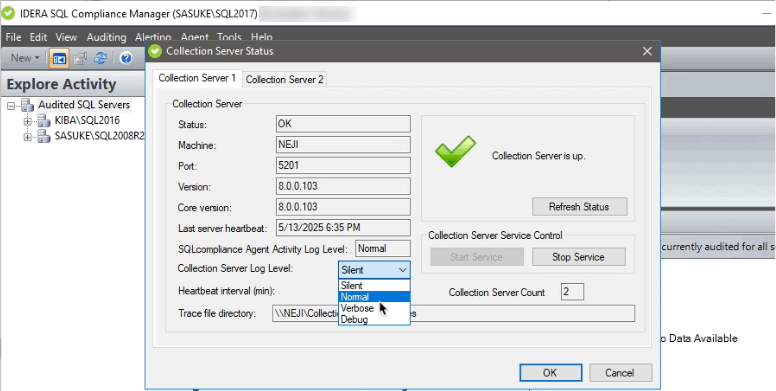
- SQL Compliance Manager Collection Service Status dialog does not support starting or stopping services. Use the Windows Service Control Manager to correctly start or stop services.
- The collection server log level setting is not sticky i.e., doesn't hold value once set. Please contact support for assistance with log generation.
When adding a new collection service, all the existing services may stop and not come back online. Users have to manually start the service.
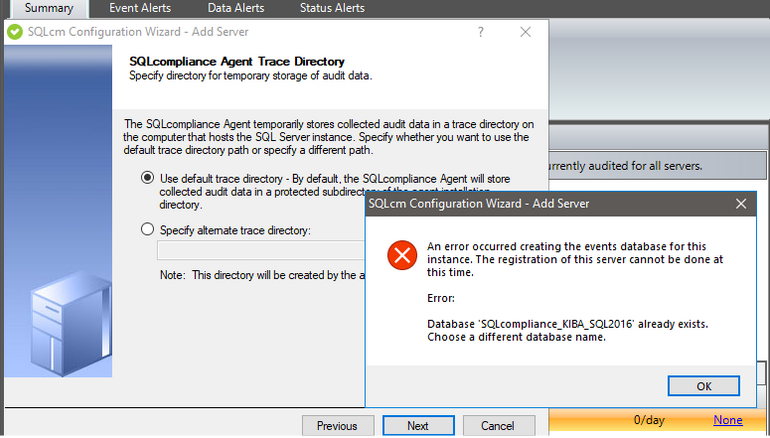
- The following misleading errors may appear while trying to register an instance when the collection service is not running. Please ignore them:
Error: Database 'XXXXXX' already exists. Choose a different database name.
Error: A network-related or instance-specific error occurred while establishing a connection to SQL Server. The server was not found or was not accessible. Verify that the instance name is correct and that SQL Server is configured to allow remote connections (provider Named Pipes Provider, error 40 - Could not open a connection to SQL Server).