In addition to the included reports, SQL Diagnostic Manager also allows you to generate reports using Microsoft Reporting Services. Microsoft Reporting Services allows you to build powerful, custom reports to deploy for a comprehensive auditing solution.
For more information, see the following whitepaper: Deploy DM Reports To SSRS or PBI Report Server_2025-10-28.pdf
What is PBIRS?
Power BI Report Server is a superset of SSRS, offering all SSRS capabilities plus support for interactive Power BI reports and more.
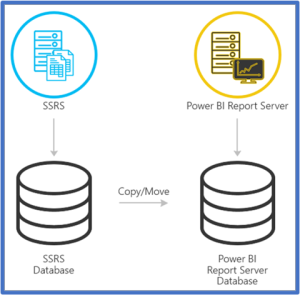
Paginated Reports in SSRS are functional in Power BI Report Server.
How to deploy SQL DM reports to an SSRS or PBIRS
Use the following steps to deploy SQL DM reports to an SSRS or Power BI Report Server:
- First, decide which report(s) you want to deploy. You can view a list of reports here.
- From the Reports view, click Deploy Reports to launch the SQLDM Reports Deployment Wizard.
- In the wizard, specify a reporting services server and data source.
- Configure where you want SQL DM to send report notifications.
- View the report deployment summary, and then click Finish.
- Navigate to your report server to see your results.
Access the Reports Deployment wizard
SQL Diagnostic Manager provides two paths to access the Reports Deployment wizard where you can select reports to deploy to a Microsoft Reporting Services Server. The first path is by clicking Deploy them now at the bottom of the Reports > Getting Started view. The second path is by first selecting a specific report in the Reports > Getting Started view, and then clicking the Deploy Report option from the Navigation Pane.
In order to use this feature, you must have access to a Microsoft Report Server, either SSRS or Power BI Report Server.
In the case of interlinked reports such as the Availability Group Statistics and Topology reports, users need to make sure to first deploy both reports from SQL Diagnostic Manager or Microsoft Reporting Services displays an error message.