In this tutorial you will enhance your screen wrapper to include a photo of the employee and the skills subfile presented as a list view.
Objectives
- Learn how to handle subfiles as a list view in screen wrapper
- Learn how easy it to wrap a screen in a more intuitive interface
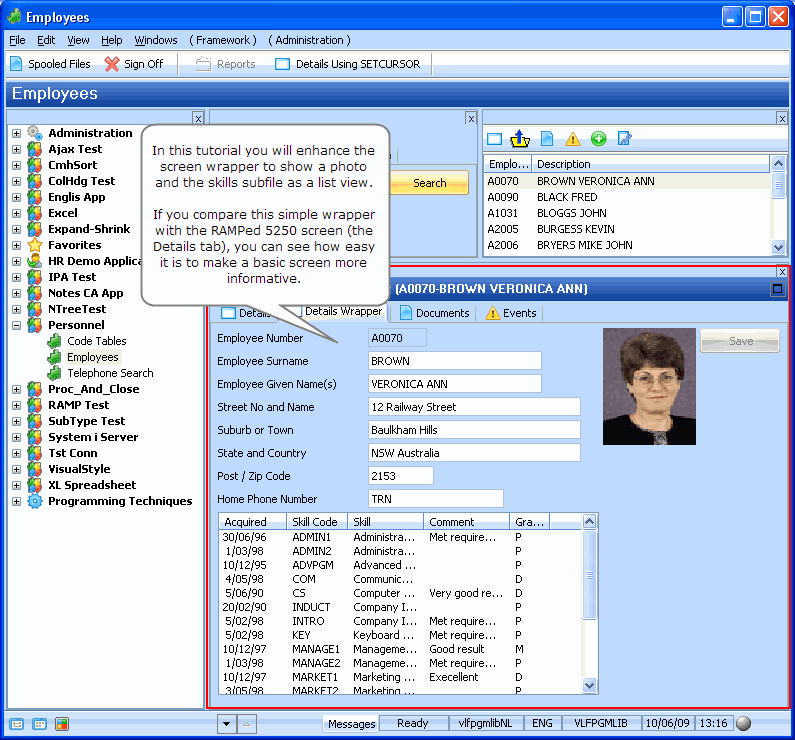
To achieve this objective, you will complete the following steps:
- RAMP-WINAD09 Step 1. Add an Image to the Screen Wrapper
- RAMP-WINAD09 Step 2. Add Skills List View to the Wrapper
- RAMP-WINAD09 Step 3. Add Code to Populate the List View
- Summary
Before You Begin
In order to complete this tutorial, you must have completed RAMP-WINAD08: Screen Wrapper Basics.
Note About This Tutorial
On some systems the screen wrapper created in this tutorial causes a 'multiple sendkey' error. The problem is currently being investigated. A work-around is to name the screen with a different name when it is in update mode, for example 'UpdateEmployee' instead of using the F21 keypress in the arrival script to distinguish the screen in display and update mode.