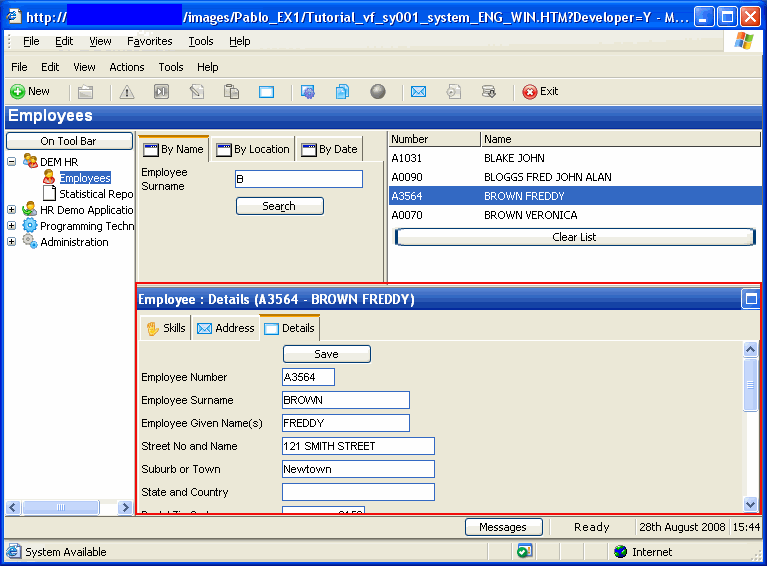
Once you have compiled your command handler and are ready to test it you need to snap it into the Framework. To snap in your own command handler:
- Display the Framework.
- Select the iii HR application and display the properties of the Employees object by double-clicking it.
- On the resulting properties dialog, click on the Commands Allowed tab.
- Select the Details command.
- Click on the WAM property radio button in the Web Browser group box.
Type the name of your command handler into the entry field.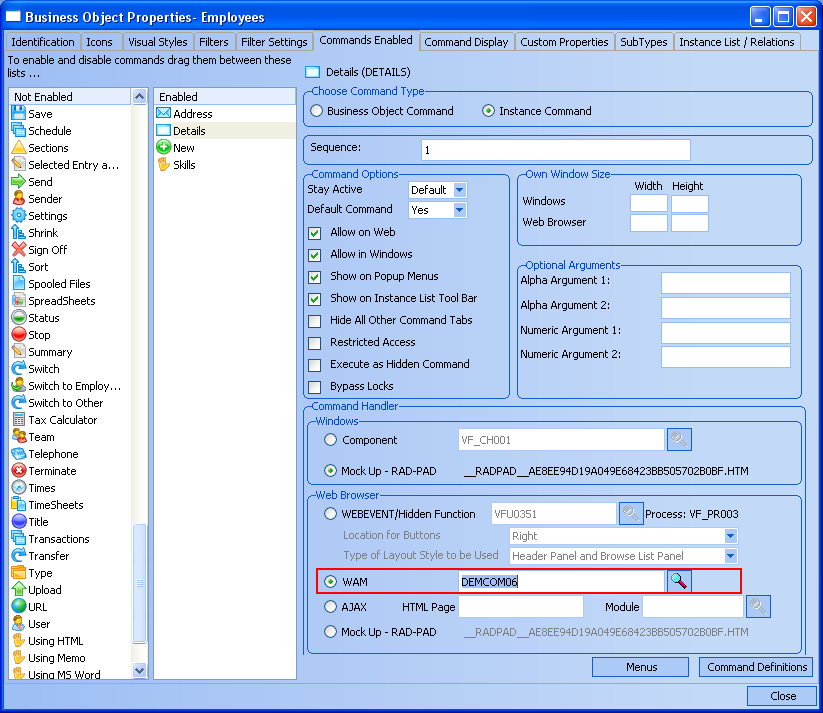
- Use the (Framework) menu and select the option Save the Framework. Accept the prompt to upload the Framework and wait while the upload completes.
- Use the (Framework) menu and use the option to Execute as Web Application... Select the default options and press OK.
- Select the iii HR application in the web Framework and then the Employees business object. Bring the By Name filter topmost. Type in a partial surname and click Search. Now click on an employee.
- Your command handler for Details is now snapped in the web Framework and usable.