The Transformations tab provides access to lists of the Transformation Maps defined in LANSA Composer. Refer to Transformation Maps for information about defining Transformation Maps.
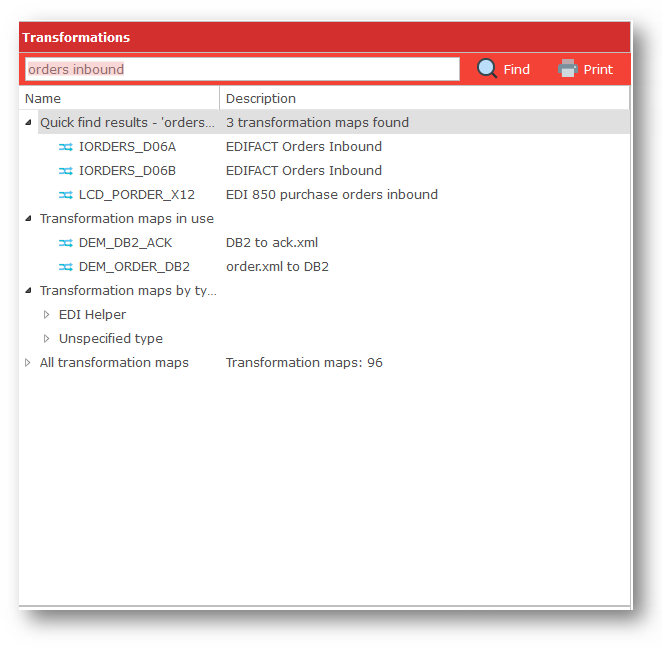
You can type a search term in the Search box at the top of the Transformations tab to search for Transformation Maps that contain the search term in their name or description.
Alternatively, you can expand the tree nodes on the Transformations tab to list Transformation Maps by type, or by alphabetical grouping of the Transformation Map name.
Click a Transformation Map to display its notes in the Assistant tab.
To add a Transformation to your Processing Sequence, click the required Transformation Map and drag it over to the Processing Sequence editor window. When you release the mouse, the Transformation Map item will be inserted at the highlighted location. You may then need to complete details for the Transformation Map item in the Detailer window – in particular, you will need to specify variables or values for the Transformation Map parameters if any. Refer to Activities and Transformation Maps for more information.
You can also add a Transformation Map to the Processing Sequence by double-clicking it. The new Transformation Map item will be inserted at the current selection.