In this step you include your object in the package.
1. Switch to the package maintenance window.
2. Include your objects by clicking the Select repository objects… button on the toolbar.

3. Add your objects by choosing the Repository list you created in Step 1. Prerequisites and dragging it to the right.
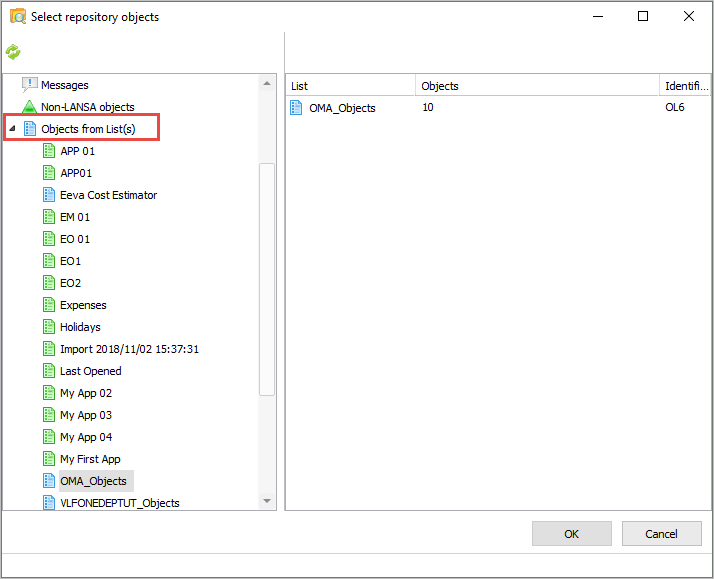
You also need to include the Framework definition file.
4. Select /Non-LANSA objects/ on the left.
5. Click the Search button on the toolbar which is displayed on the right..
6. Locate a file with a name like /XXXXXXXXX_LLLL_VLFONE_Definition.DAT //(/where XXXXXXXXX is the Framework name and LLLL is the language).
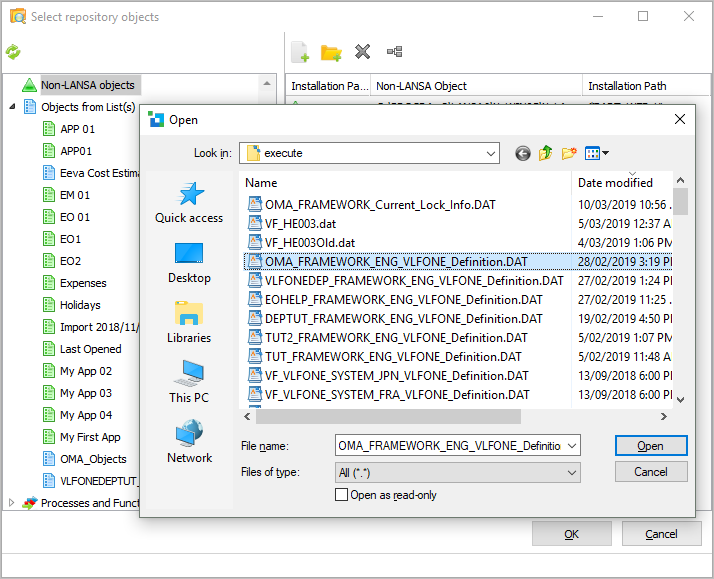
7. Click Open to include the definition file.
Lastly include the table your application uses.
8. Select Tables on the left.
9. Locate any tables your application uses and drag them to the right.
In this example we are using the /xHomesForSale/ table.
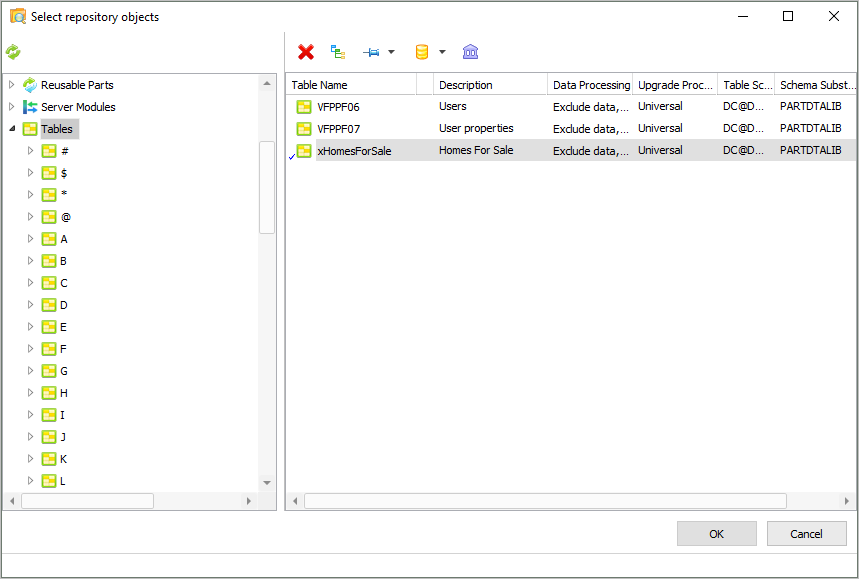
10. Also include the table data:
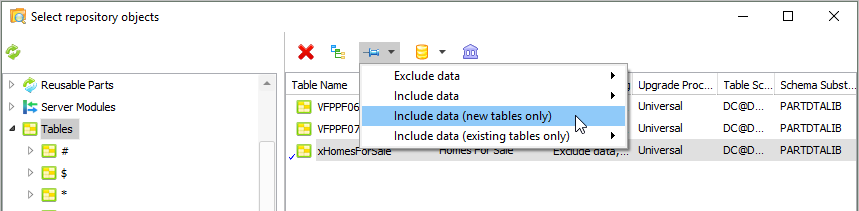
11. Click OK to close the Select repository objects dialog.