In this example you could just add the three SECTIONS like this:
| Business Object Type | AKey1 | AKey2 | AKey3 | Visual ID1 | Visual ID2 |
|---|---|---|---|---|---|
SECTIONS | ADM | 01 | ADM | 01 | |
SECTIONS | ADM | 02 | ADM | 02 | |
SECTIONS | LEG | 01 | LEG | 01 |
When the user goes to expand the section ADM-01 (say) in the visual tree a check is made to see if you have specified a Relationship Handler for the relationship between SECTIONS and EMPLOYEES.
If you have, then it is called to "expand" the relationship between SECTION ADM-01 and the EMPLOYEES that work in the section. After it has been called, the physical instance list would look like this:
| Business Object Type | AKey1 | AKey2 | AKey3 | Visual ID1 | Visual ID2 |
|---|---|---|---|---|---|
SECTIONS | ADM | 01 | ADM | 01 | |
EMPLOYEES | ADM | 01 | A1001 | A1001 | BEN JONES |
EMPLOYEES | ADM | 01 | A1012 | A1012 | PATRICK PAUL |
SECTIONS | ADM | 02 | ADM | 02 | |
SECTIONS | LEG | 01 | LEG | 01 |
At the end of this section is an example of a RDML function used to handle the expansion if the relationship between SECTIONS and an EMPLOYEES.
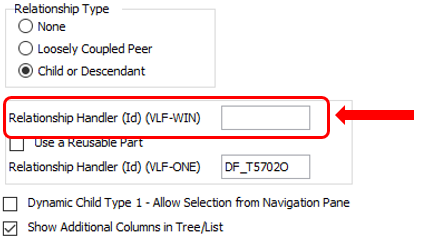
If you create a relationship handler to dynamically expand entries in an instance list then you need to identify it to the Framework on the Relationships tab as the Relationship Handler here: