6. Debugging Applications
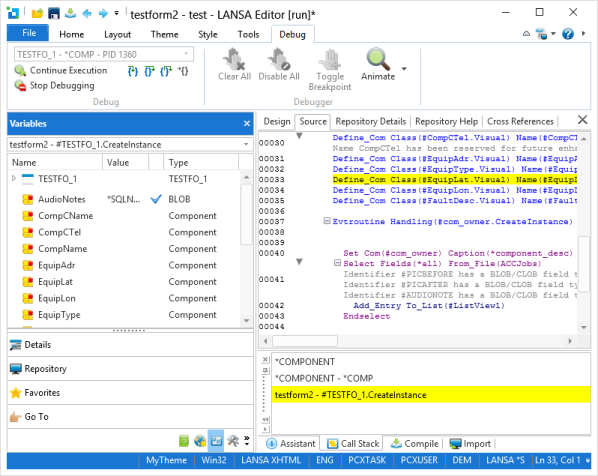
From the LANSA Editor, you can debug Forms, Functions, Web Functions, WAMs or Web Pages running locally or on an IBM i or Windows Data/Application Server. The server can be a machine different from the one running the Development Environment.
From the LANSA editor you can:
- Single step through code to examine how the logic flows.
- Set breakpoints in code to stop at places of interest on demand.
- Watch/modify field values on the fly to identify and rectify problems temporarily or change the logic flow for testing purposes.
The object you are debugging must be compiled first with the relevant debug option enabled. (Refer to Compile Tab.) If you are making changes to the source code, make sure you have recompiled it to ensure that the latest changes are present.
When the source code is opened during a debug session, it can be edited. However, once you have completed editing the source code you should immediately terminate the debug session. Do not continue to use the debugger once the source code has been edited as your source code is no longer synchronized with the debug session.
You can view information about the code you are debugging by displaying additional debug tabs:
To display these tabs, use the Views command on the Home ribbon.
Also See
Interactive Debugging in the Web Administrator Guide.