Introduction
This Hello World exercise is an introduction to using the Visual LANSA editor to develop a simple form-based application. Having completed a very simple initial form, in FRM015B you will add further components and functionality and explore programming using events, properties, and methods.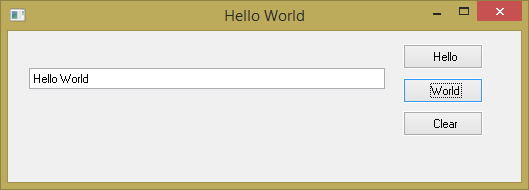
Objectives
- To introduce the basic concepts of components, properties, events, and RDML commands.
- To learn how to add events to a form.
- To learn how to edit properties of components.
- To learn how to compile and execute your form.
To achieve these objectives, you will complete the following:
Step 3. Move and Redefine Push Buttons
Step 4. Add a Push Button and Set its Properties
Step 5. Add a Field to the Form and Set its Properties
Step 6. Create Event Routines for the Push Buttons
Step 7. Add Logic to the Hello Button Click Event
Step 8. Add Logic to the Other Click Events
For more information on the topics in this exercise, go to:
- Editor Features in the Visual LANSA User Guide.
- Component Concepts in the Technical Reference.
- The Component Model in the Visual LANSA Developer Guide.