In the EPC141017 version of RAMP you can control the attributes of RAMP buttons in VLF-ONE applications.
The properties are located in RAMP Tools, under the RAMP session properties:
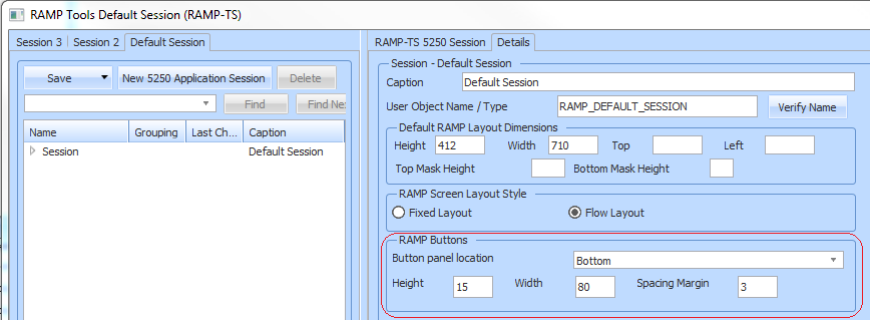
They are:
Button panel location
This is where on the RAMP screen the buttons will be displayed. Possible values are Left, Right, Top, Bottom and None.
The default is Right.
If None is selected, the buttons panel will not be displayed.
If Left or Right is selected, the buttons will be arranged down the page in a column.
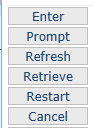
If Top or Bottom is selected, the buttons will be arranged left to right in a row.

Height
This is the button height in pixels. The default is 20 pixels.
Width
This is the button Width in pixels. The default is 137 pixels.
Spacing Margin
This is the margin in pixels assigned to each button, between buttons. So the spacing distance between two buttons will be twice the spacing margin.
The default spacing margin is 1 pixel, so the default spacing distance between buttons will be 2 pixels.
See RAMP Window Session Details.