The SQL DM for MySQL API allows users to retrieve monitor and chart values programmatically. The API supports fetching current, delta, and historical data.
Base URL
http://127.0.0.1:5555/
Authentication
All API requests need authentication using the following parameters:
_user: It may be sqldm user, LDAP user or LDAP Group user. In case no user is supplied, admin account is used by default.
_password: The password for the specified _user.
API Endpoints
Description:
Retrieves all enabled monitors' values.
Endpoint:
_object=MONyogAPI&_action=GetAllMonitorsValues&_user=[sqldm user name]&_password=[sqldm user password]&_server=[server_name]&_type=[current/delta/history]&_starttime=[timestamp]&_endtime=[timestamp]
Request Parameters:
_server: Server name
_type: current, delta, or history
_starttime & _endtime: Required if _type=history (Start time & end time in UNIX timestamp format)
_object=MONyogAPI&_action=GetMonitorValue&_user=[sqldm user name]&_password=[sqldm user password]&_server=[server_name]&_group_id=[group_id]&_counter_id=[counter_id]&_type=[current/delta/history]&_starttime=[timestamp]&_endtime=[timestamp]
Request Parameters:
_server: Server name
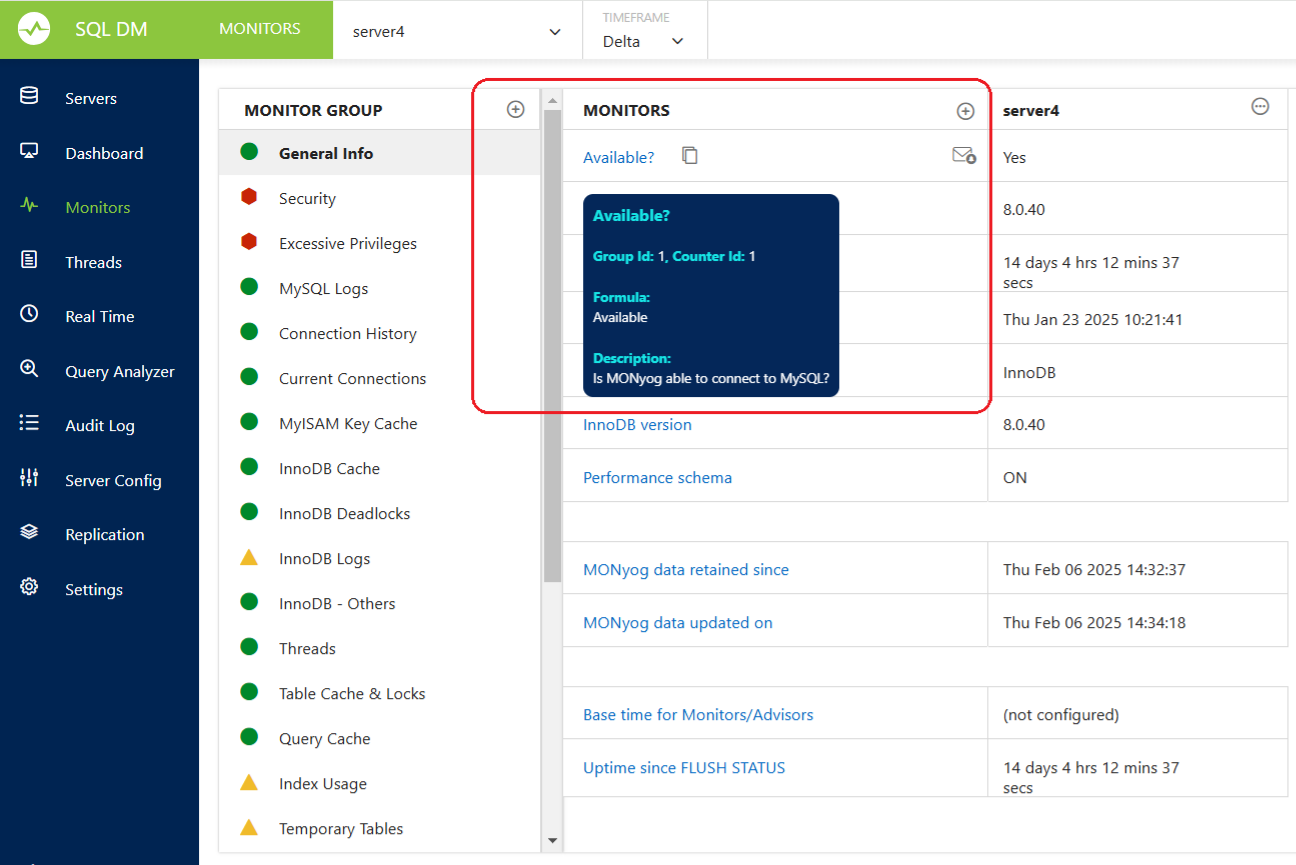
_group_id: Monitor’s group ID
_counter_id: Monitor’s counter ID
_type: current, delta, or history
_starttime & _endtime: Required if _type=history (Start time & end time in UNIX timestamp format)
Retrieves trend values of a specific monitor over time.
Endpoint:
_object=MONyogAPI&_action=GetMonitorTrendValues&_user=[sqldm user name]&_password=[sqldm user password]&_server=[server_name]&_group_id=[group_id]&_counter_id=[counter_id]&_starttime=[timestamp]&_endtime=[timestamp]
Request Parameters:
_server: Server name
_group_id: Monitor’s group ID
_counter_id: Monitor’s counter ID
_starttime: Start time in UNIX timestamp format(Mandatory)
_endtime: End time in UNIX timestamp format(Mandatory)
Retrieves all chart values of a specific dashboard.
Endpoint:
_object=MONyogAPI&_action=GetAllChartsValues&_user=[sqldm user name]&_password=[sqldm user password]&_server=[server_name]&_dashboard=[dashboard_name]&_starttime=[timestamp]&_endtime=[timestamp]
Request Parameters:
_server: Server name
_dashboard: Dashboard name
_starttime: Start time in UNIX timestamp format (optional for current values)
_endtime: End time in UNIX timestamp format (optional for current values)
_object=MONyogAPI&_action=GetChartValues&_user=[sqldm user name]&_password=[sqldm user password]&_server=[server_name]&_dashboard=[dashboard_name]&_group_id=[group_id]&_counter_id=[counter_id]&_starttime=[timestamp]&_endtime=[timestamp]
Request Parameters:
_server: Server name
_dashboard: Dashboard name
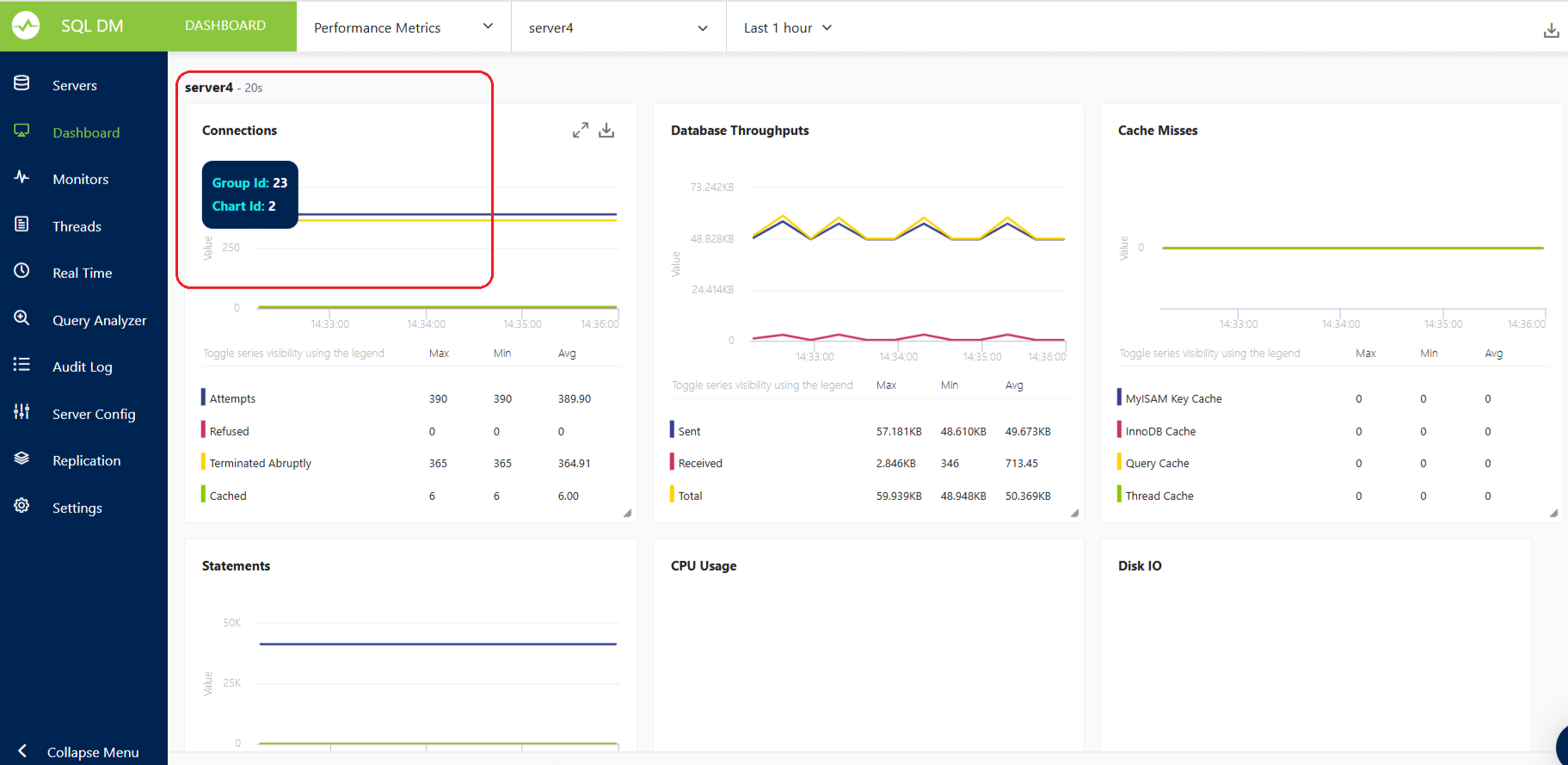
_group_id: Chart group ID
_counter_id: Chart counter ID
_starttime: Start time in UNIX timestamp format (optional for current values)
_endtime: End time in UNIX timestamp format (optional for current values)