The Details area shows the details of the script selected in the Screen and Script List.
The scripts are generated automatically as you track your application, but sometimes it is necessary to edit the scripts.
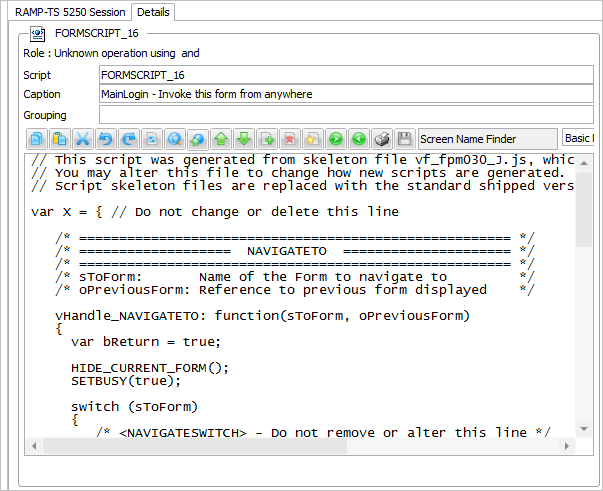
The scripting toolbar has buttons to assist you when working with scripts. From left the buttons are:
| Copy |
| Paste |
| Cut |
| Undo |
| Redo |
| Select All |
| Find |
| Replace |
| Increase Font Size |
| Reduce font size |
| Show/Hide line numbers |
| Comment out lines |
| Uncomment out lines |
| Indent lines |
| Unindent lines |
| Print Code |
| Commit Changes |
| Check Script |
Screen Name Finder
|
which you can use to rapidly locate a screen name, click on name to get the name of the screen pasted into your code at current insertion point. |
Editor type | If you are using RAMP-TS, the RAMP script editor allows you to optionally use the ACE script editor. When the ACE editor is in use, you can switch on its syntax helper to dynamically see warnings about your scripting. |
You can use the Scripting Pop-up Menu to help you to format and edit your scripts.


